The Kiosk settings page configures every FrontDesk kiosk: what the tablet asks for, what it scans, what it prints and what it refuses. The full guide is in the FrontDesk section, starting at Configure the Kiosk.
Open the Kiosk settings
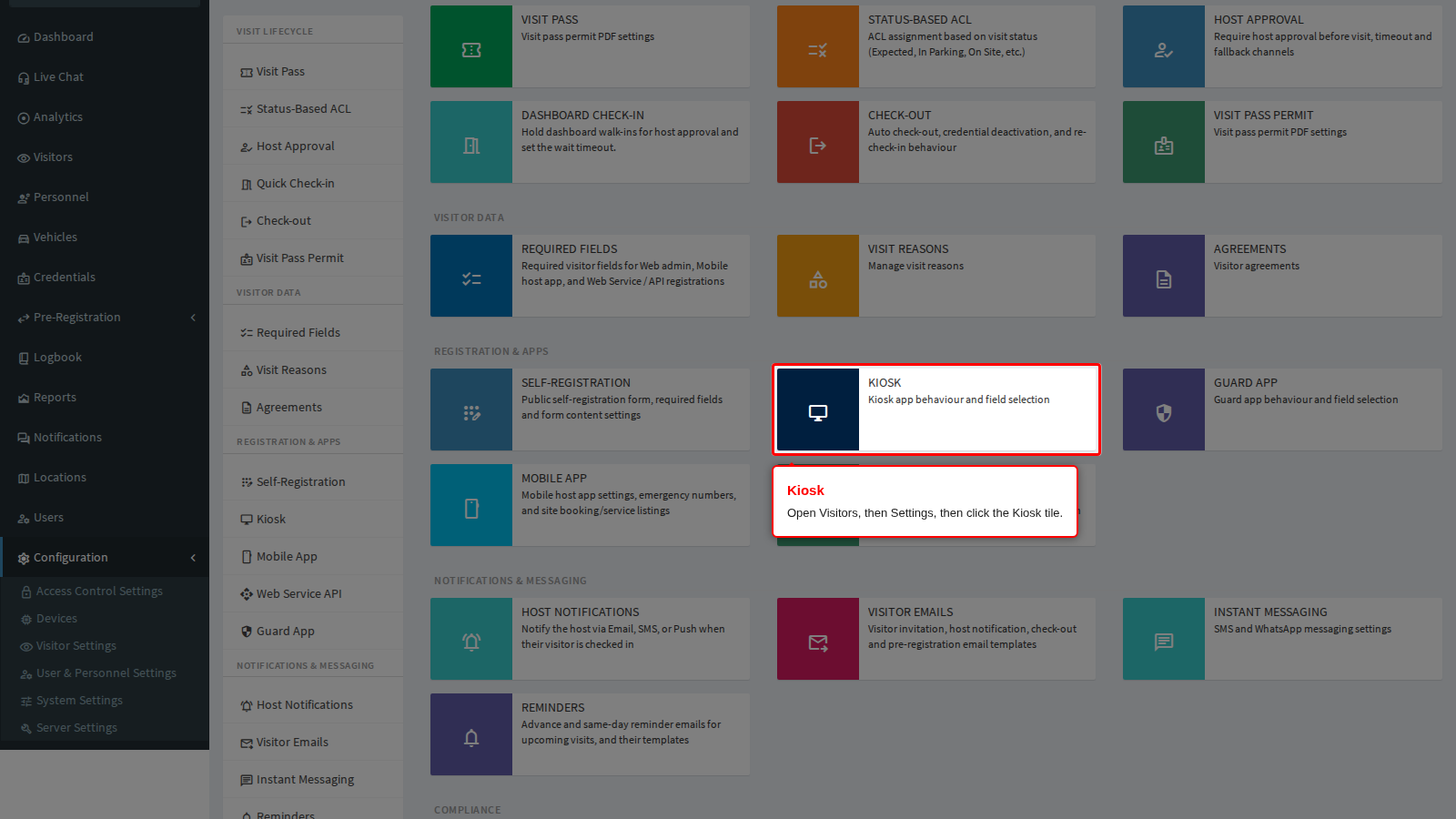
Open Visitors in the sidebar, click Settings, and click the Kiosk tile.
The General panel opens with the kiosk menu on the left. That menu is the same on every kiosk panel, so you can move between panels from anywhere. Each panel saves on its own: change a panel and move to the next one without clicking Save, and the edit is lost.
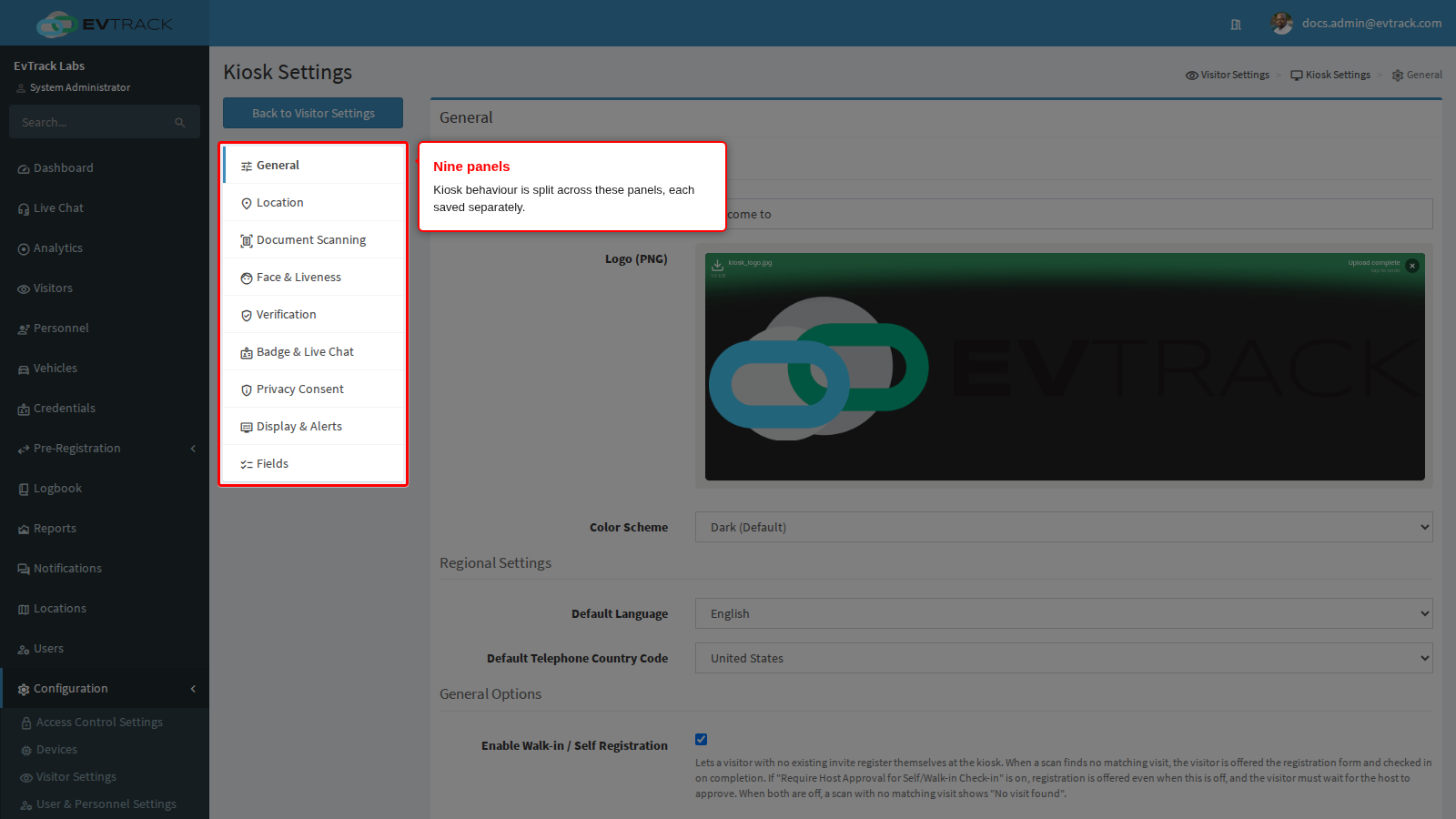
The panels
| Menu entry | What it controls | Page |
|---|---|---|
| General | The welcome screen, logo, colours, language and country code | Welcome Screen and Branding |
| General | Walk-in registration, automatic form population, offline behaviour and direction | Walk-in Registration and Offline Behaviour |
| Location | Which location a kiosk registration is filed under | Where Registrations Are Filed |
| Document Scanning | ID scanning, OCR, stored scans and expired documents | Document Scanning |
| Face & Liveness | Face detection, liveness checks and photo comparison | Face and Liveness |
| Verification | One-time codes, PIN and QR checking, self-service pass retrieval | Verification |
| Badge & Live Chat | Badge printing, photo watermark and live chat | Badge Printing and Live Chat |
| Privacy Consent | The consent screen the visitor must accept | Privacy Consent |
| Display & Alerts | How much of the registration details the kiosk shows back, and the alarm when it loses the server | Display and Alerts |
| Fields | The fields, custom questions and agreements the kiosk asks for, and their order | Fields and Required Fields |
| Host Approval (Visitor Settings) | The approval prompt sent to the host | Host Approval Prompts |
| Per location (location Kiosk App tab) | Settings a single location overrides | Location Overrides |
Related
- FrontDesk - the overview of the FrontDesk kiosk section.
- Kiosk and Guard Devices - creating the device record, installing the app, pairing and printer wiring.
- Guard App - the same decisions for the officer at the checkpoint.
- Visit Pass - what a pass contains and which access control list it opens.