Windows Firewall blocks incoming connections by default, so other computers, kiosks, Guard handsets and mobile apps cannot reach a new EvTrack server until you allow its port. EvTrack listens on TCP port 5443, and that is the only inbound port it needs.
Before you start: you need administrator rights on the server, and EvTrack must already be installed (see Server Installation).
Overview
- Open Windows Defender Firewall with Advanced Security
- Create a new inbound rule for a port
- Allow TCP port 5443
- Allow the connection
- Choose the network profiles
- Name the rule
Step 1: Create a new inbound rule
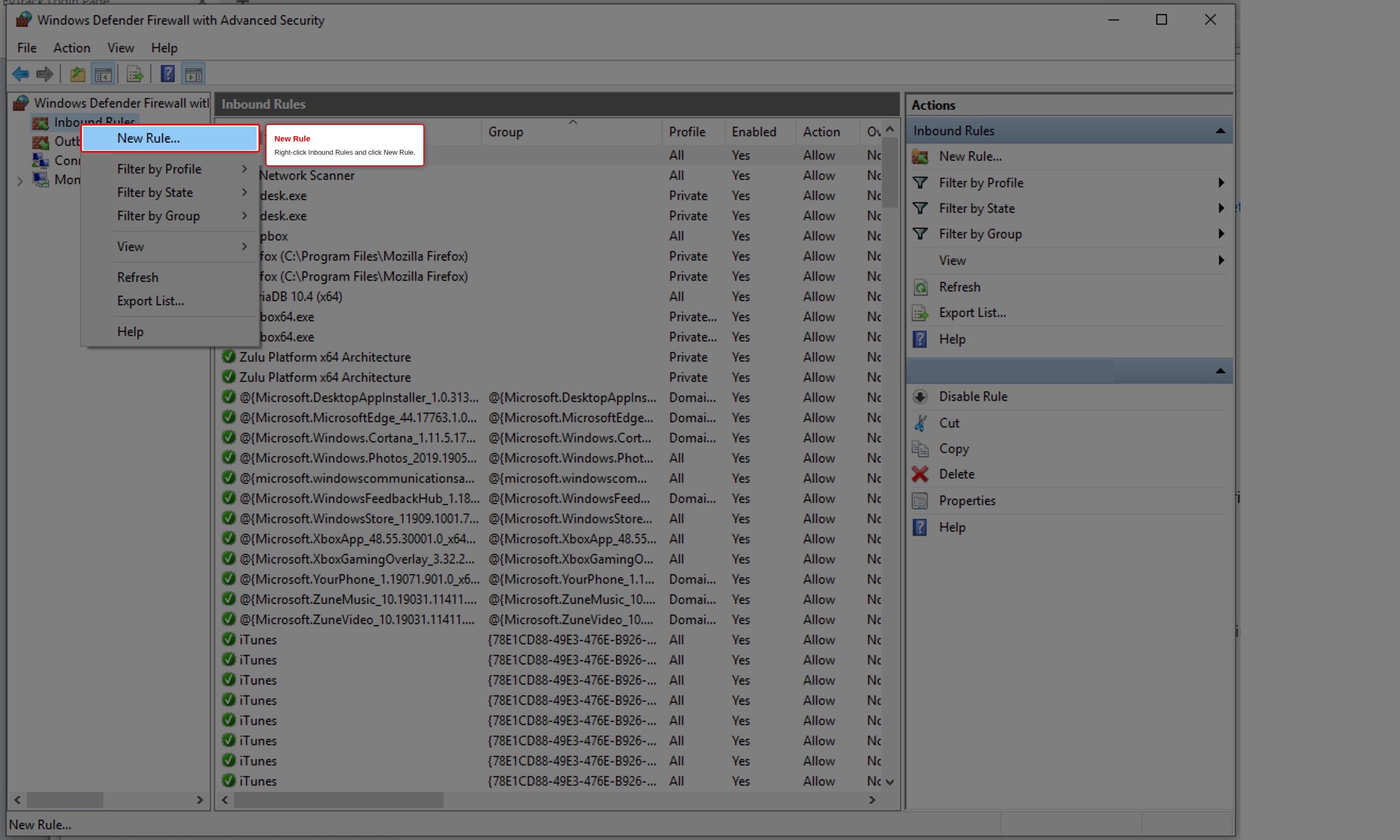
Press Windows + R, type wf.msc and press Enter to open Windows Defender Firewall with Advanced Security. Right-click Inbound Rules and click New Rule….
Step 2: Choose Port
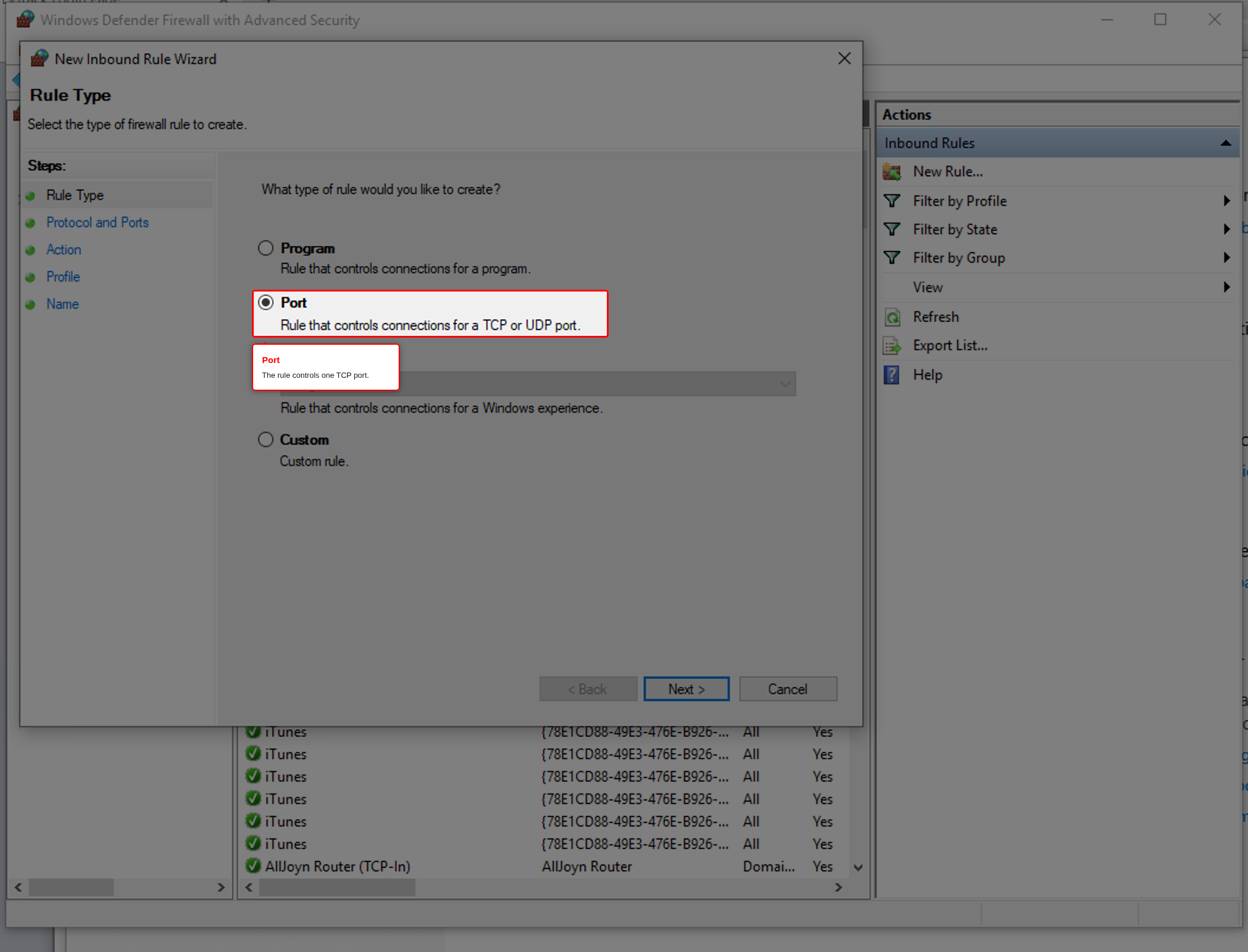
Select Port and click Next.
Step 3: Allow TCP port 5443
Select TCP and Specific local ports, enter 5443 and click Next.
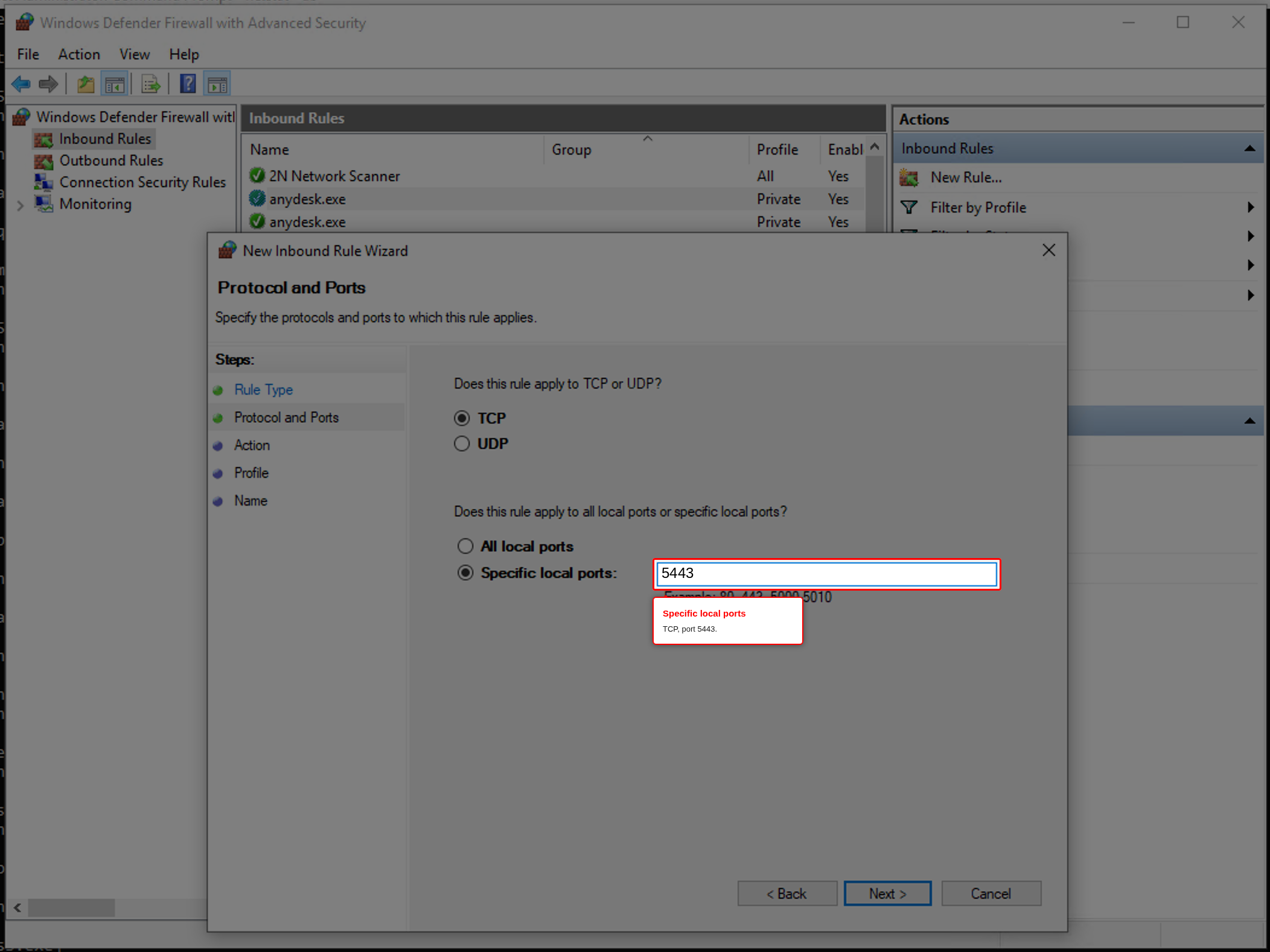
If you changed the port EvTrack listens on (the server.port setting in application.properties, or the PORT environment variable), enter that port instead.
Step 4: Allow the connection
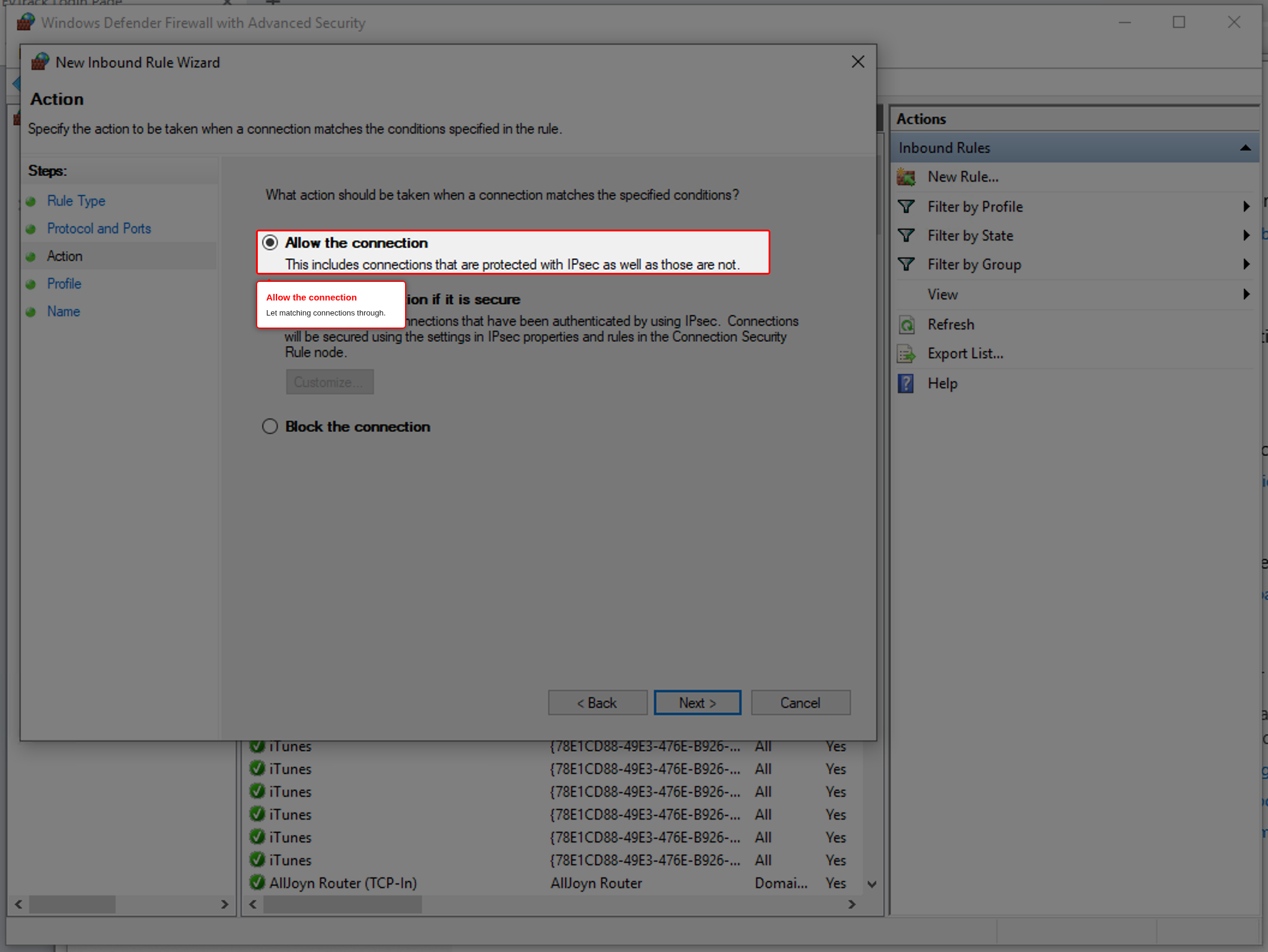
Select Allow the connection and click Next.
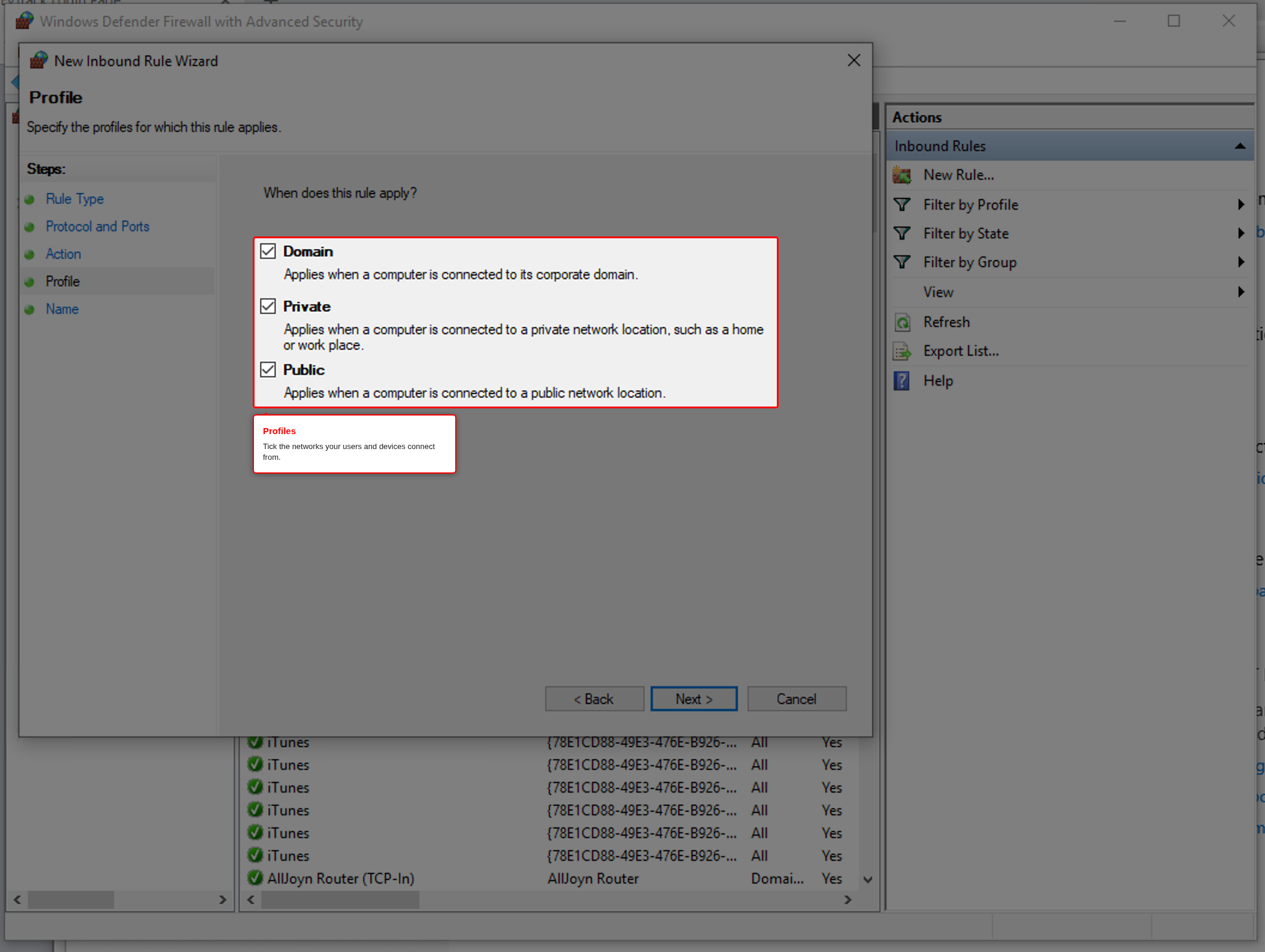
Step 5: Choose the profiles
Tick the network profiles the rule applies to. Domain and Private cover a company network. Tick Public only if the server’s network connection is classed as public in Windows and users or devices still need to reach it. Click Next.
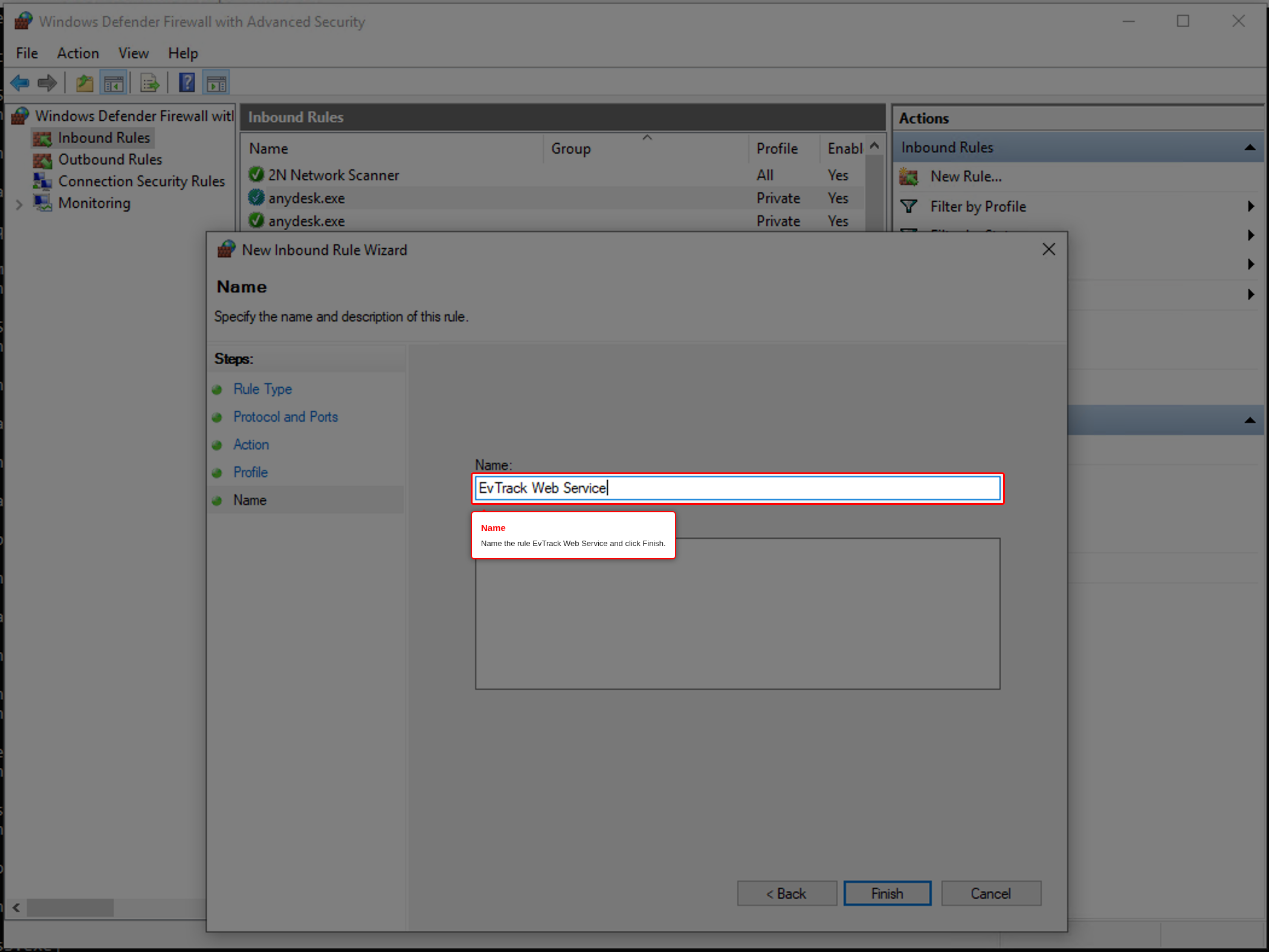
Step 6: Name the rule
Enter the name EvTrack Web Service and click Finish.
Check it works
From another computer on the network, open http://<server-address>:5443 in a browser (or https:// once HTTPS Configuration is done). The EvTrack login page must appear. If it does not, see Troubleshooting.
If you prefer the command line, this single command in an administrator Command Prompt creates the same rule:
netsh advfirewall firewall add rule name="EvTrack Web Service" dir=in action=allow protocol=TCP localport=5443
Firewalls between the server and your users (on routers, or a cloud provider’s network rules) are separate from Windows Firewall. Open port 5443 there too if your users or devices connect through them.