Put a person on a watchlist so that new invitations, kiosk and Guard app registrations, and walk-in check-ins from the Visitors Dashboard are refused for them, and cancel any visit already booked for them in the same step. It takes about five minutes.
Before you start
- You can edit watchlists.
- You have an enabled watchlist to add the person to. To create one, see Watchlist.
- You have the person’s ID number or passport number, and their first and last name.
Steps
Step 1: Open the watchlist
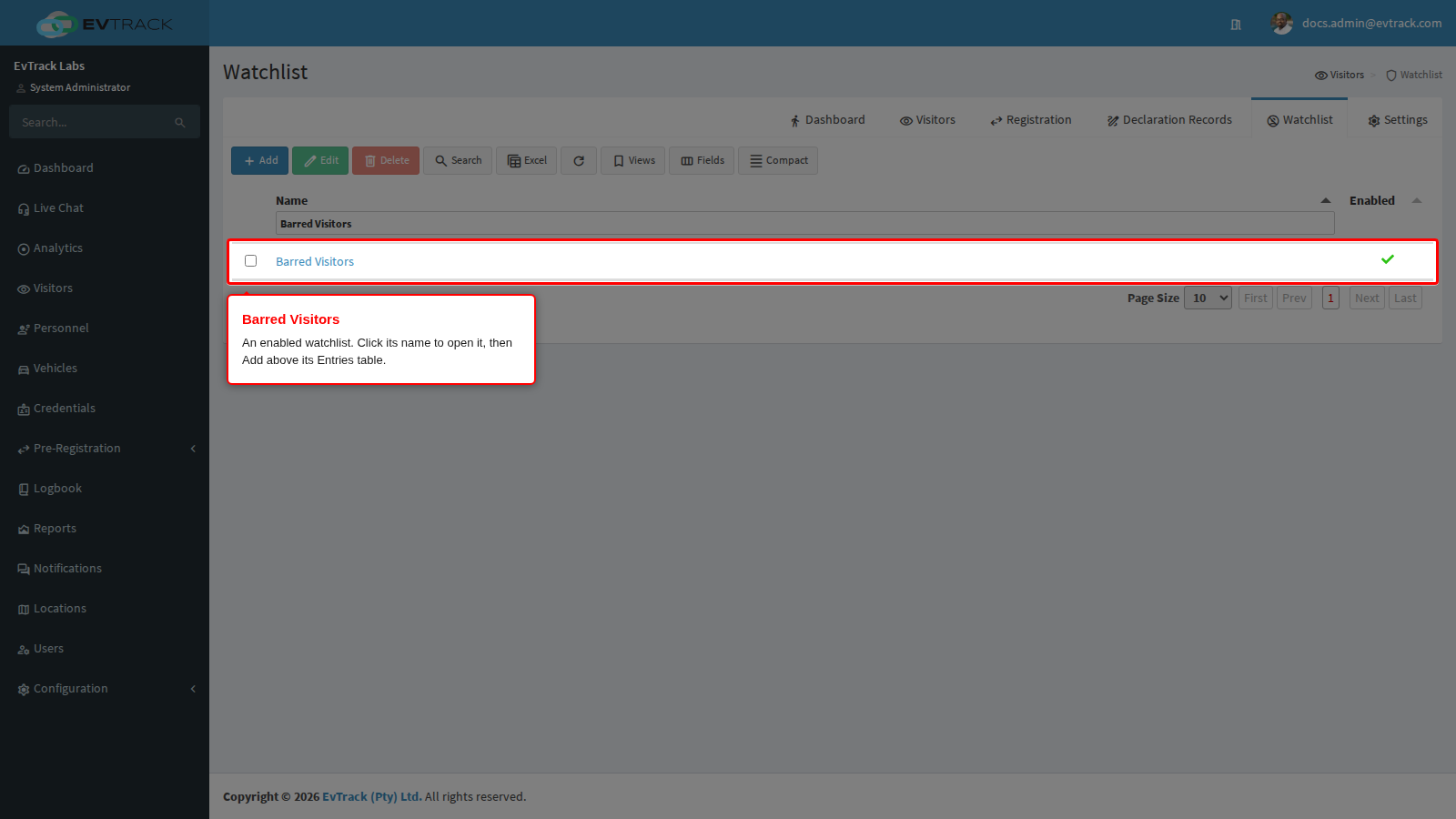
In the left sidebar click Visitors, then click the Watchlist tab. Click the name of the watchlist, open its Entries panel and click Add above the entries table.
Step 2: Enter the person’s details
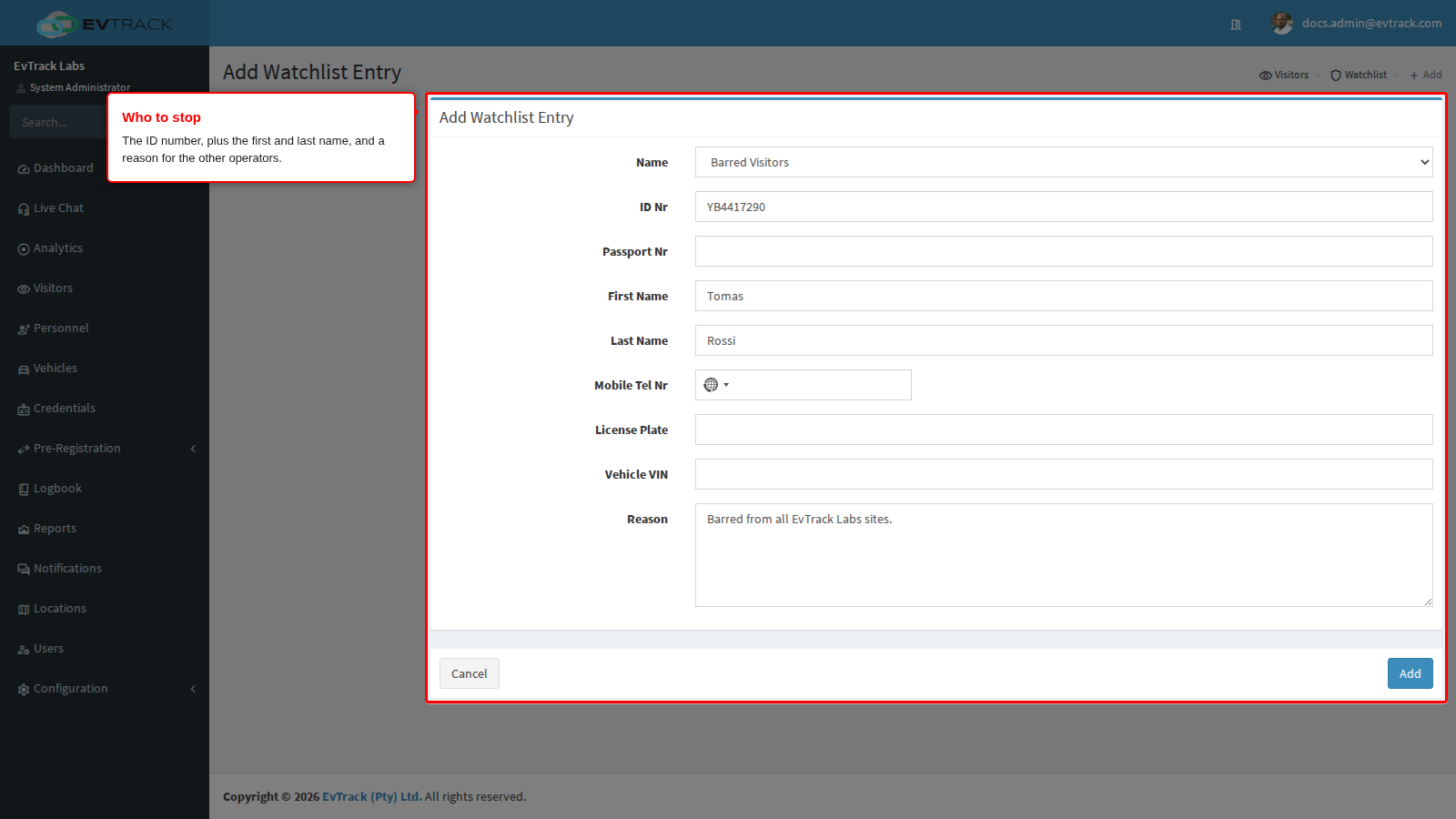
Fill in the entry form:
- ID Nr or Passport Nr: the most reliable way to identify the person. Screening compares the passport number first, then the ID number, then Mobile Tel Nr.
- First Name and Last Name: used only for visitors who give no ID number. A visitor who enters a different ID number is not matched on their name.
- License Plate and Vehicle VIN (optional): stop a vehicle as well. A kiosk or Guard app registration with that vehicle is refused, and visits booked with it are cancelled in Step 5.
- Reason: why the person is on the list, for the other operators.
Every value must match exactly as the visitor gives it. Email addresses are not compared.
Step 3: Click Add
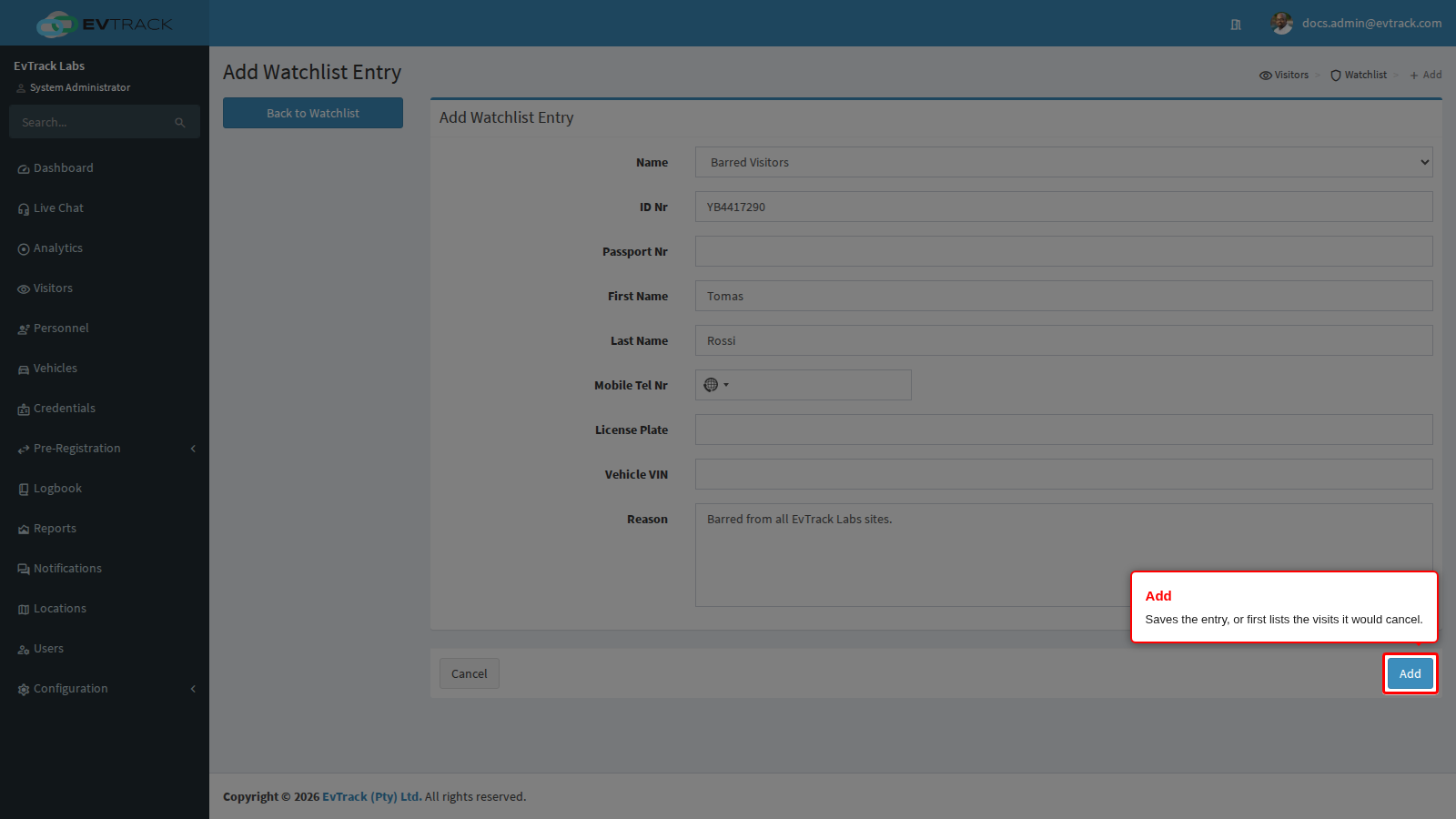
Click Add at the bottom of the form. If the person has no booked visit and no active credential, the entry is saved straight away: go on to Check it worked below.
Step 4: Review the booked visits
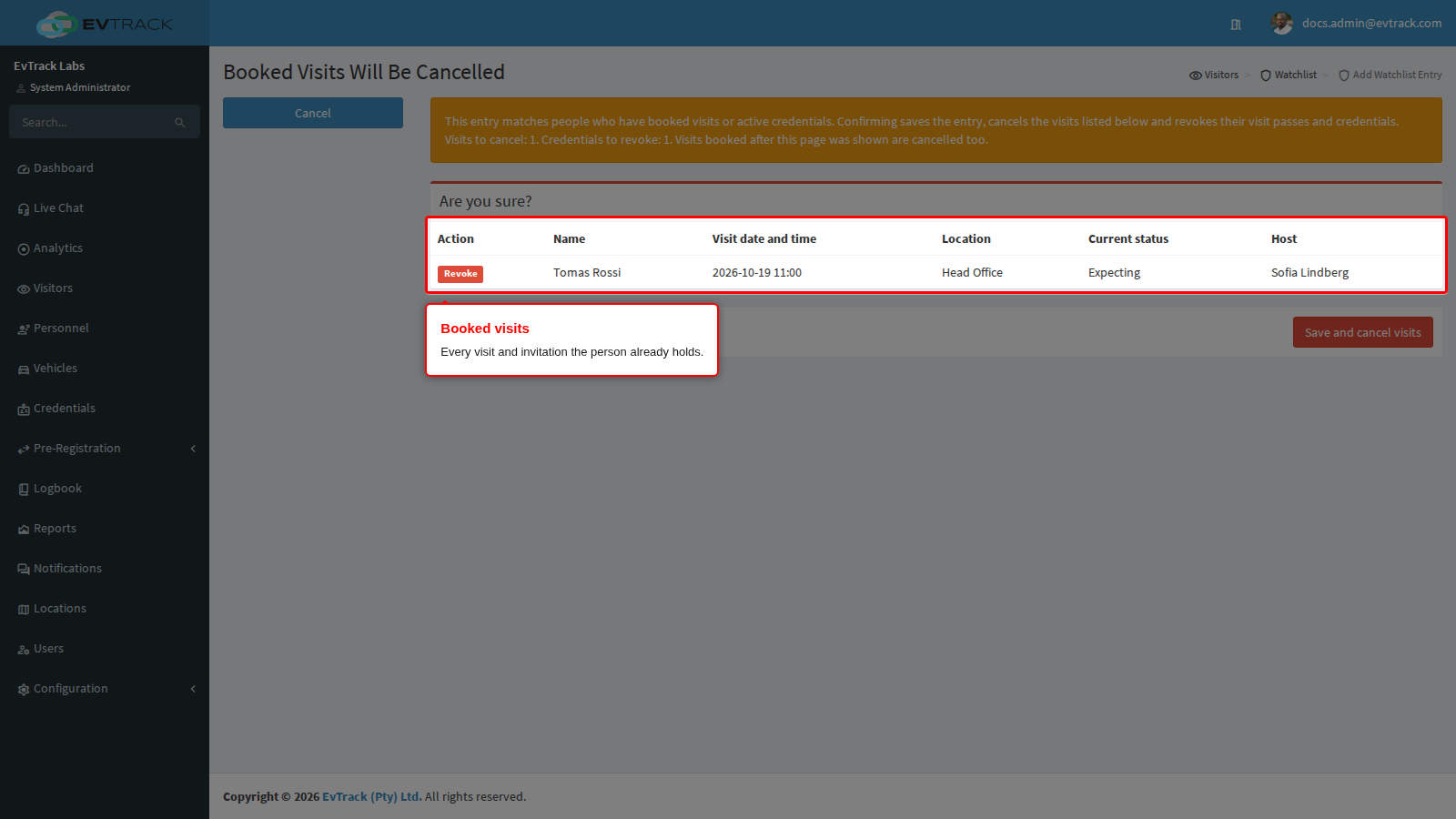
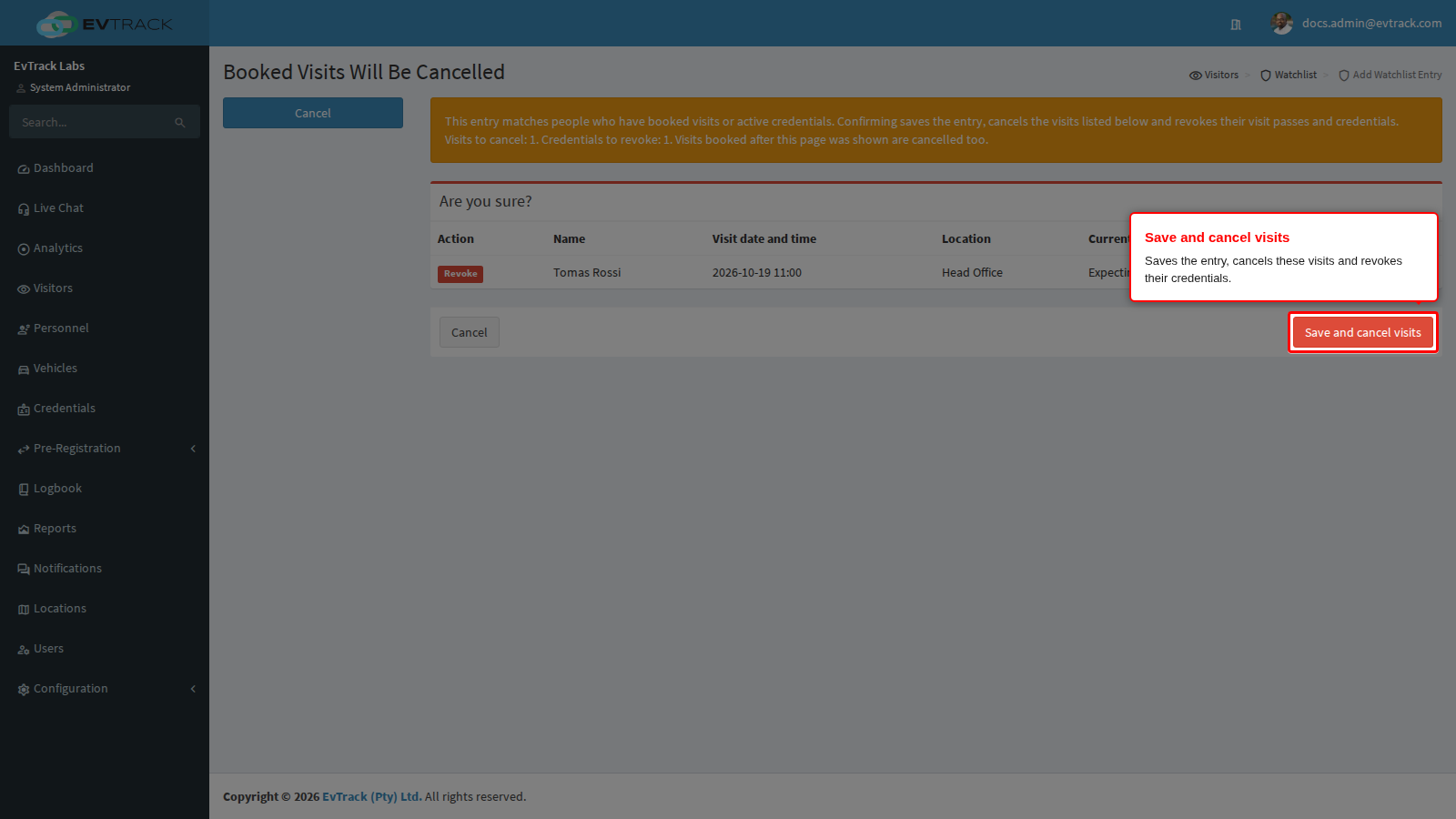
If the person already has a booked visit, an invitation or an active credential, the Booked Visits Will Be Cancelled page opens before anything is saved. It lists every affected visit with its Name, Visit date and time, Location, Current status and Host, marked Revoke in the Action column. A person who holds active credentials but no booked visit gets a row of their own whose status reads Active credentials: and the number of credentials.
Two kinds of row need a follow-up from you:
- Currently on site - credentials revoked, visit remains open: the person is checked in now. Their visit is not cancelled, but their credentials are revoked, and a card they hold from a card pool is returned to its pool and stops opening doors. Check them out yourself.
- Card … still assigned - return it: the visit is cancelled but the card it holds is not returned automatically. Collect the card and return it.
Click Cancel to go back to the entry form with your details kept. Nothing is saved or cancelled.
Step 5: Click Save and cancel visits
Click Save and cancel visits. The entry is saved, the listed visits are cancelled, and their credentials are revoked. Visits booked after the page opened are cancelled too.
Check it worked
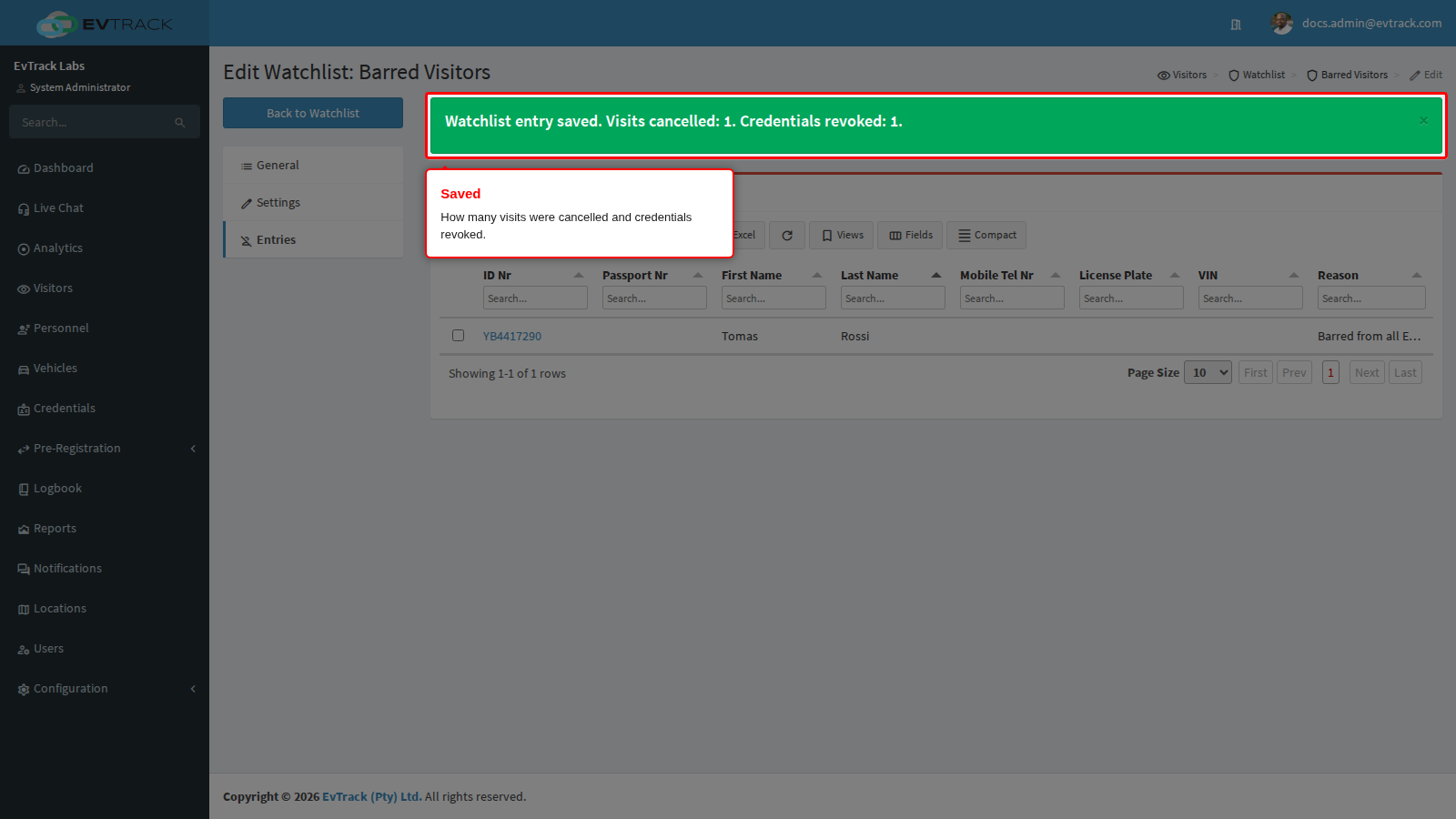
You return to the watchlist with a message that says how many visits were cancelled and how many credentials were revoked. If anyone is still on site, the message names how many, and you need to check them out yourself. Cards returned from on-site visitors are listed as “Cards returned to their card pool”.
On the Visitors Dashboard, the person’s booked visit now shows as Cancelled. From now on:
- A walk-in check-in from the Check-in dialog on the Visitors Dashboard is refused, and nothing is saved.
- A FrontDesk kiosk refuses to register the person and shows Access Denied with “Secondary Screening Required. Please consult the Security Supervisor”.
- The Guard app refuses to register the person.
- The person’s visitor profile shows WARNING-Visitor Matched on a Watchlist and no longer offers the Invite tab.
- A registration request from the person can only be declined.
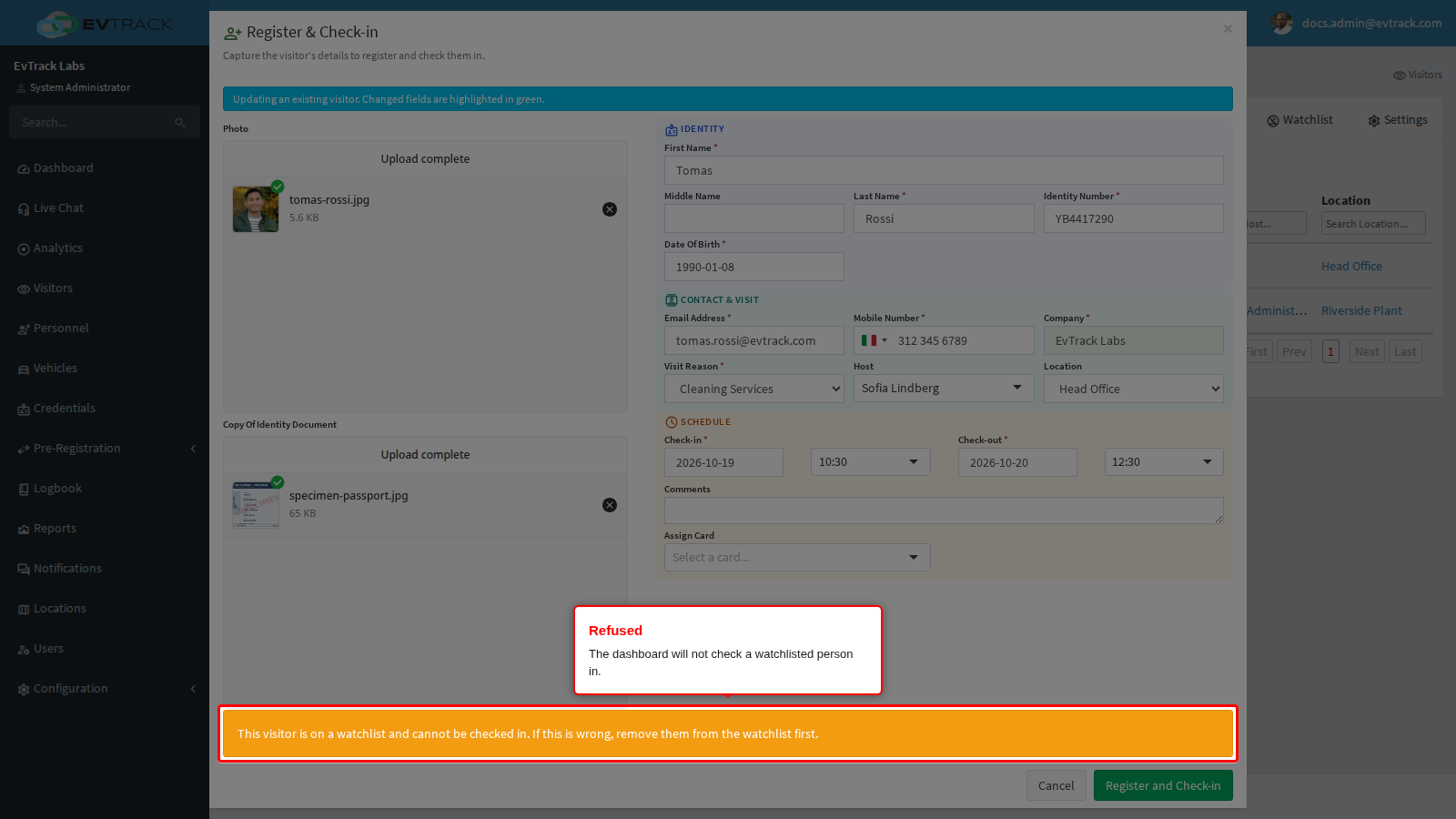
To check, start a check-in for the person from the dashboard’s Check-in dialog (choose the person from the similar visitors list if it appears). The dialog refuses it.
If it didn’t work
- The person is not refused at check-in. Check each of these:
- The watchlist is disabled. Open it, choose Settings, tick Enabled and click Save.
- The visitor gave an ID number that differs from the entry’s. Their name is then ignored. Add their ID or passport number to the entry.
- A value is spelled differently, or only the email address was entered. Values must match exactly, and email is never compared.
- Booked visits were not cancelled. Only entries added or edited on the entry form offer to cancel visits. Entries added by an import, by an agreement’s On Denied Add to Watchlist action or through the web service API do not cancel visits already booked, and neither does switching a disabled watchlist back on. Visits booked before such an entry remain valid, and the person can check in with them, until you cancel them yourself from the Visitors Dashboard.
- The person is still on site. A checked-in visit is never cancelled automatically. Check the person out from the Visitors Dashboard. Once checked out, a person on a watchlist cannot be re-checked in: the visit page shows “This visitor is on a watchlist and cannot be checked in. If this is wrong, remove them from the watchlist first.”, and the kiosk and the doors refuse them.
- The message says a card is still assigned. The visit is cancelled, but the card is still assigned to it. Collect the card and return it.