Deleting a visitor permanently removes the visitor record, their photos and their profile documents. Their visits, signed agreement records and the audit entry for the delete are kept until the retention periods under Privacy expire, and the signature images on their agreement records are kept after that. This cannot be undone - consider whether checking the visitor out or letting their credentials expire is more appropriate.
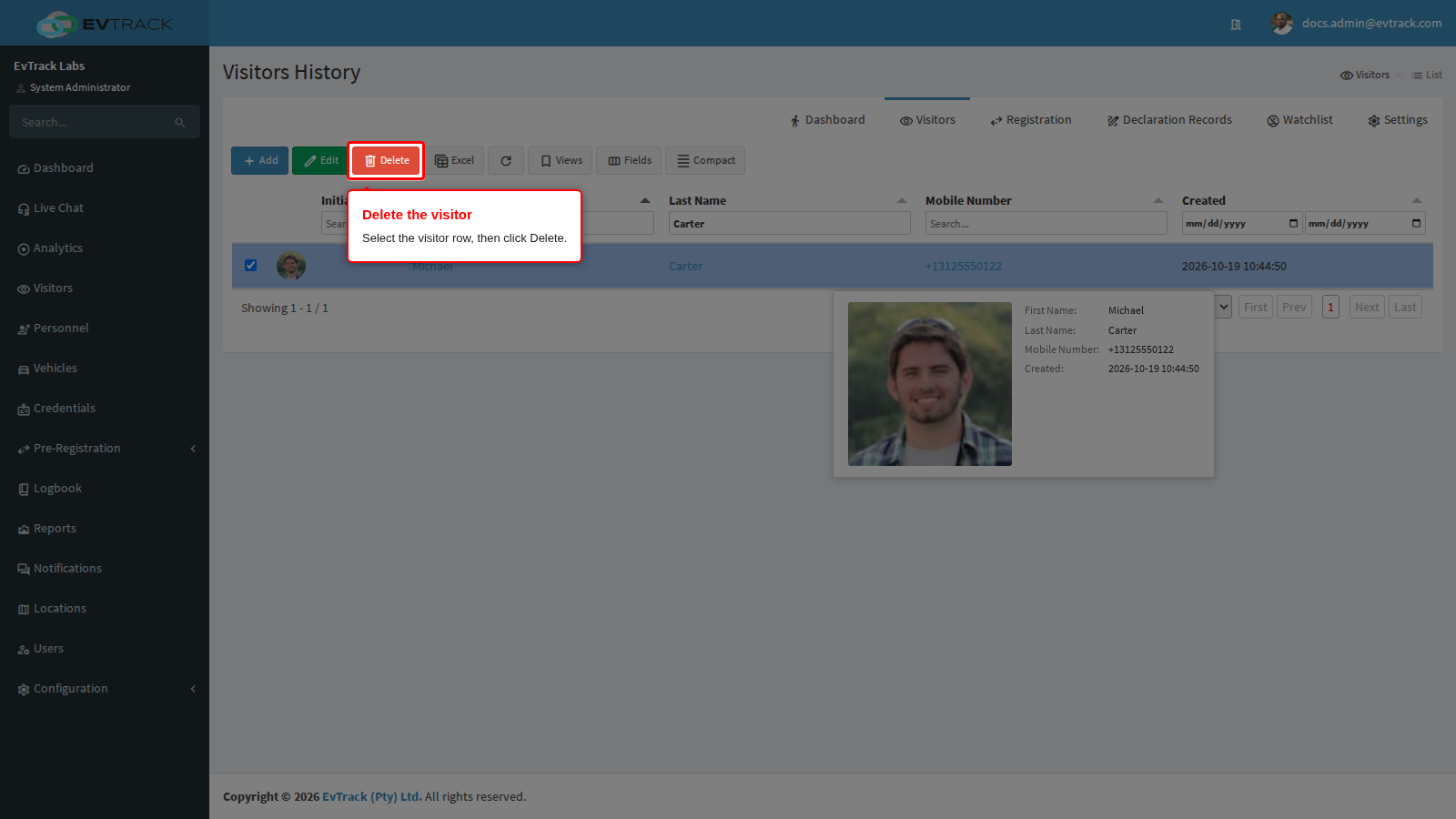
Step 1: Select the visitor and click Delete
In the Visitors list, use the column filters to find the visitor and select their row. Click the Delete button in the toolbar.
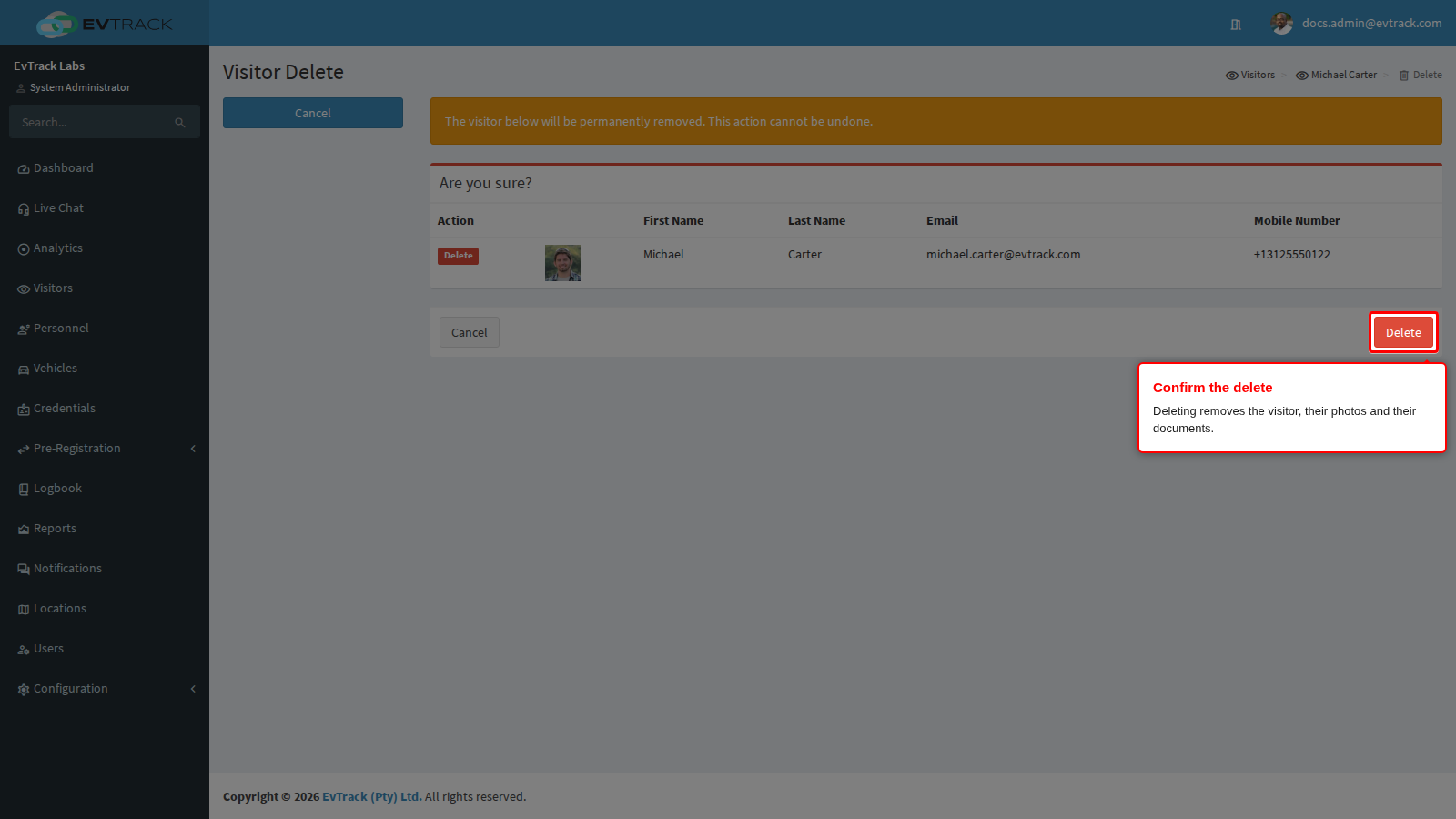
Step 2: Review and confirm
A confirmation page summarises the visitor that will be removed. Click Delete to confirm, or Cancel to abandon the delete.
After confirming, the Visitors list reopens and the visitor no longer appears in it.
Before you delete
- Deleting cancels the visitor’s current visits, unlinks their credentials, and removes their photo and documents. Their signed declarations are kept.
- To stop someone coming back, add them to the Watchlist instead of deleting them: a deleted visitor can simply register again.
- To call off one visit, cancel the visit pass - see Change, Cancel or Re-send a Visit Pass.