Use this page when a visitor opens your registration link, or scans its QR code, and gets a message instead of the registration form. An operator who can change Visitor Settings and edit locations can usually fix it in a few minutes, and the visitor can then use the same link again.
Symptom
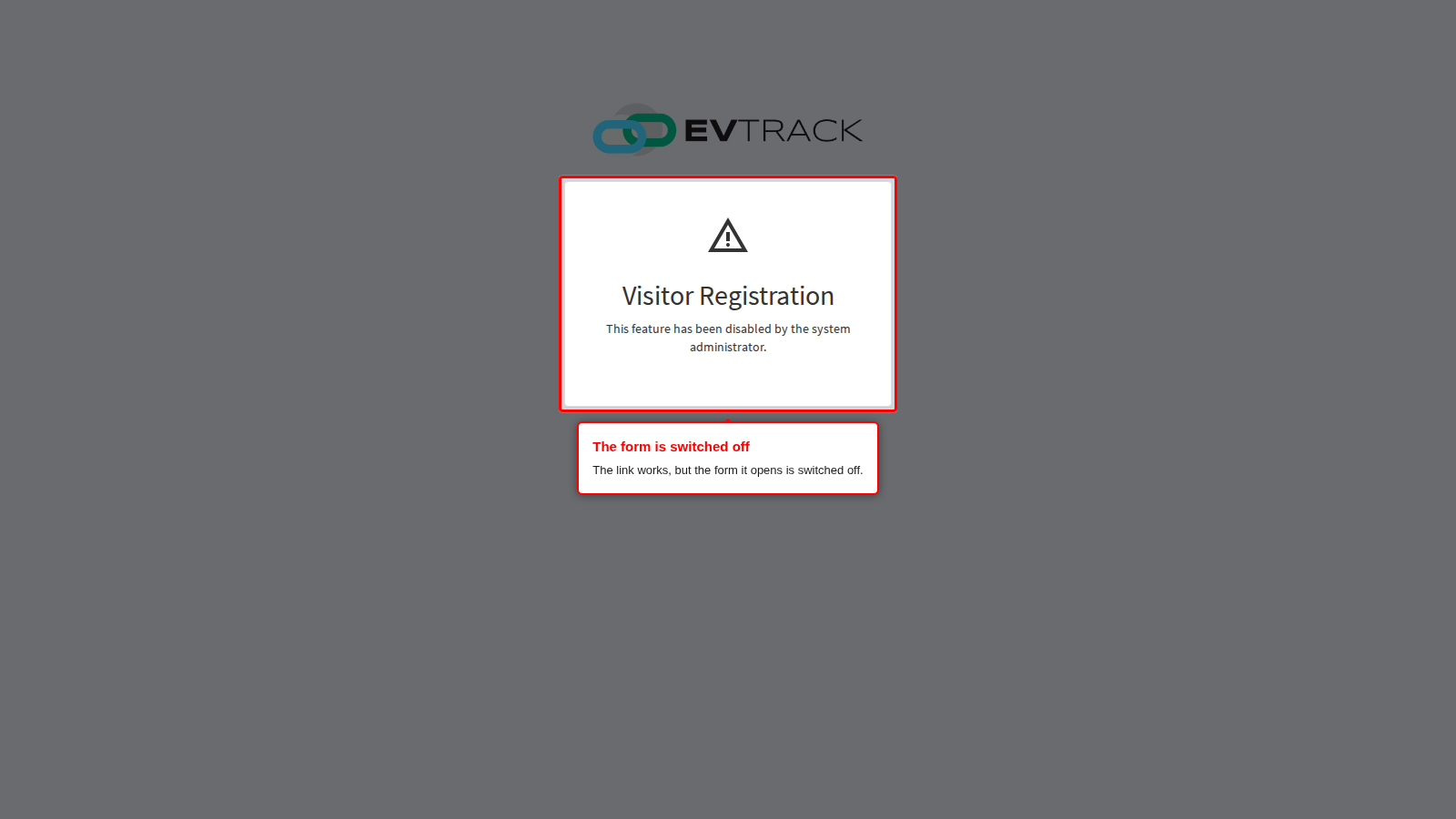
The visitor opens the link and sees a page headed “Visitor Registration” that says “This feature has been disabled by the system administrator.”, under your company logo if one is set. There is no form to fill in. The capture below is the whole public page as the visitor sees it.
What it means
The link itself is fine. EvTrack recognised it, but the form it leads to is switched off. Nothing is stored for the visitor, and you do not need to send a new link: once the form is switched on, the same link works.
A link that EvTrack cannot recognise shows a different message: “The Visitor Registration ID could not be found. Please check and confirm that the URL is correct. If the problem persists, contact your administrator.” That one is covered at the end of “Why it happens”.
Why it happens
The switches are on the General tab of the Self-Registration tile under Configuration > Visitor Settings, and on each location’s Self-Registration tab. Which one applies depends on the link you shared.
- The public form is switched off. Enable Public Registration Form, in the Public Form section of the General tab, is clear. While it is clear, every registration link shows the message, whatever kind of link it is. A new system starts with it clear.
- The location’s link is switched off. For a link copied from a location’s Registration URL row, the location’s Enable Self-Registration box (location > Self-Registration tab) is clear. The page then shows the location’s own logo and company name, if it has them.
- Personal links are switched off. For a personal link (the Your Registration URL on the General tab, or the personal link offered by the Link button in the Registration list), Allow Per-User Registration Links on the General tab is clear.
- The system-wide link is switched off. For the System-Wide Registration URL, Allow System-Wide Registration on the General tab is clear.
- Group registration is switched off for the location. A group leader who is part-way through registering a group sees the same message when group registration is no longer on for the location. That is the location’s own group setting, or the global Enable Group Registration setting while the location’s Use global group registration settings box is ticked. See Location Self-Registration.
When the visitor sees “The Visitor Registration ID could not be found…” instead, the link does not lead anywhere:
- the link was cut short or mistyped when it was copied;
- the location it names has been deleted;
- for a personal link, the user it belongs to has been deleted.
Copy the link again from its Registration URL row and send it in full, or send the link of another location or user.
A visitor who tries many times in a row from one address can see “Too many requests, Please wait for 5 min before trying again.” They wait and then open the link again.
Fix it now
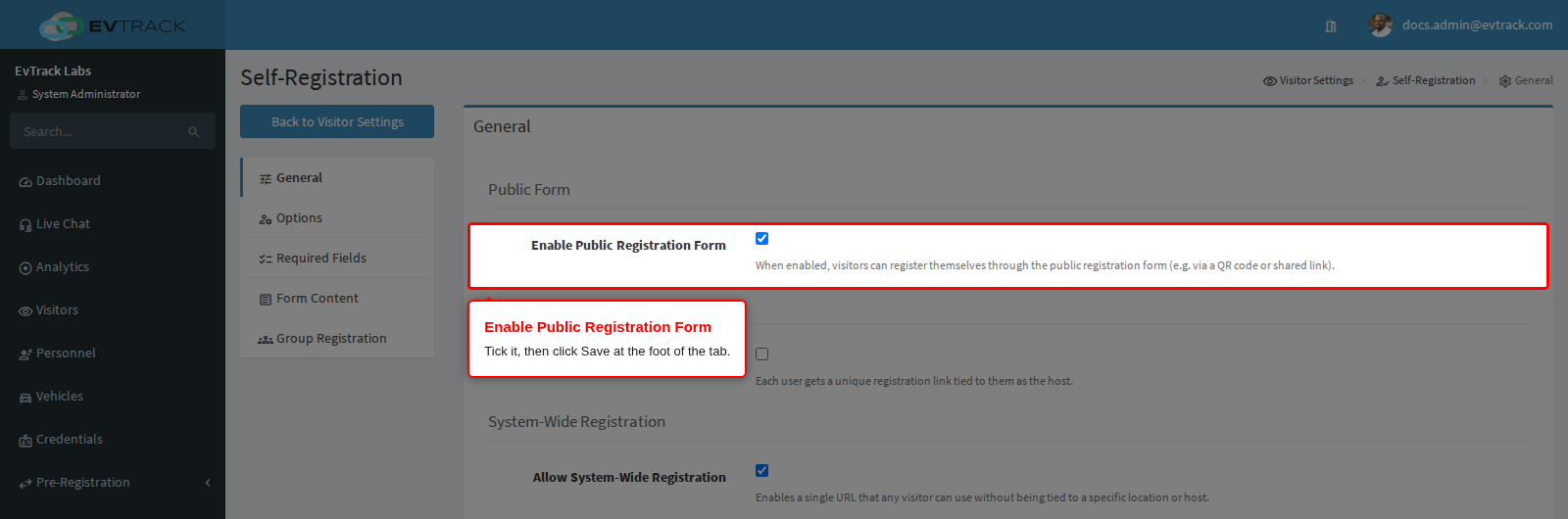
The example below is the most common cause on a new system: Enable Public Registration Form is clear.
Step 1: Switch the public form on
Under Configuration > Visitor Settings, click the Self-Registration tile. On the General tab, tick Enable Public Registration Form in the Public Form section and click Save at the foot of the tab. A green confirmation shows that it was saved.
For the other causes, tick the matching box and click Save at the foot of its tab:
- Location link: open the location from Locations, click Self-Registration, tick Enable Self-Registration. See Location Self-Registration.
- Personal link: tick Allow Per-User Registration Links on the General tab.
- System-wide link: tick Allow System-Wide Registration on the General tab.
- Group registration: turn group registration back on for the location, or the global Enable Group Registration setting, as described in Self-Registration Settings.
For the whole setup, see Let visitors register themselves with a link.
Check it worked
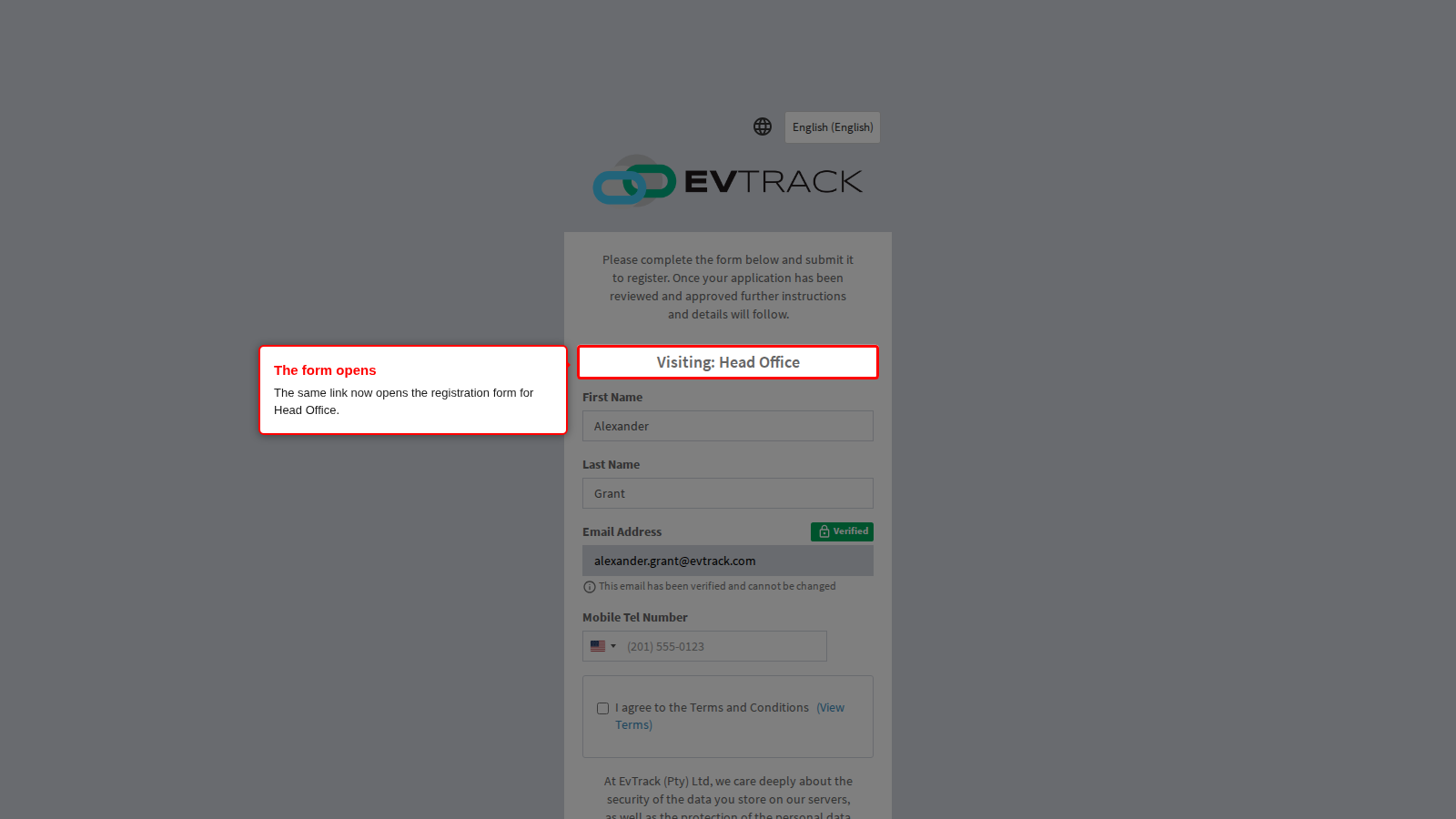
Open the same link in a private browser window, as a visitor would. Instead of the message, EvTrack asks the visitor to verify their email address (on some systems a mobile number, or a choice of the two) and sends a code to it. After the code is entered the registration form opens, naming the location the link belongs to, here “Visiting: Head Office”.
If the message is still shown, check the other switches in “Why it happens”: a location link also needs the location’s Enable Self-Registration box ticked.