Use this page when a visitor was checked in but their host says they were never told. An operator who can edit users can usually fix it in about five minutes.
Symptom
The visitor was checked in as usual and the visit shows Checked-in, but the host received no email, text message or push notice about the arrival.
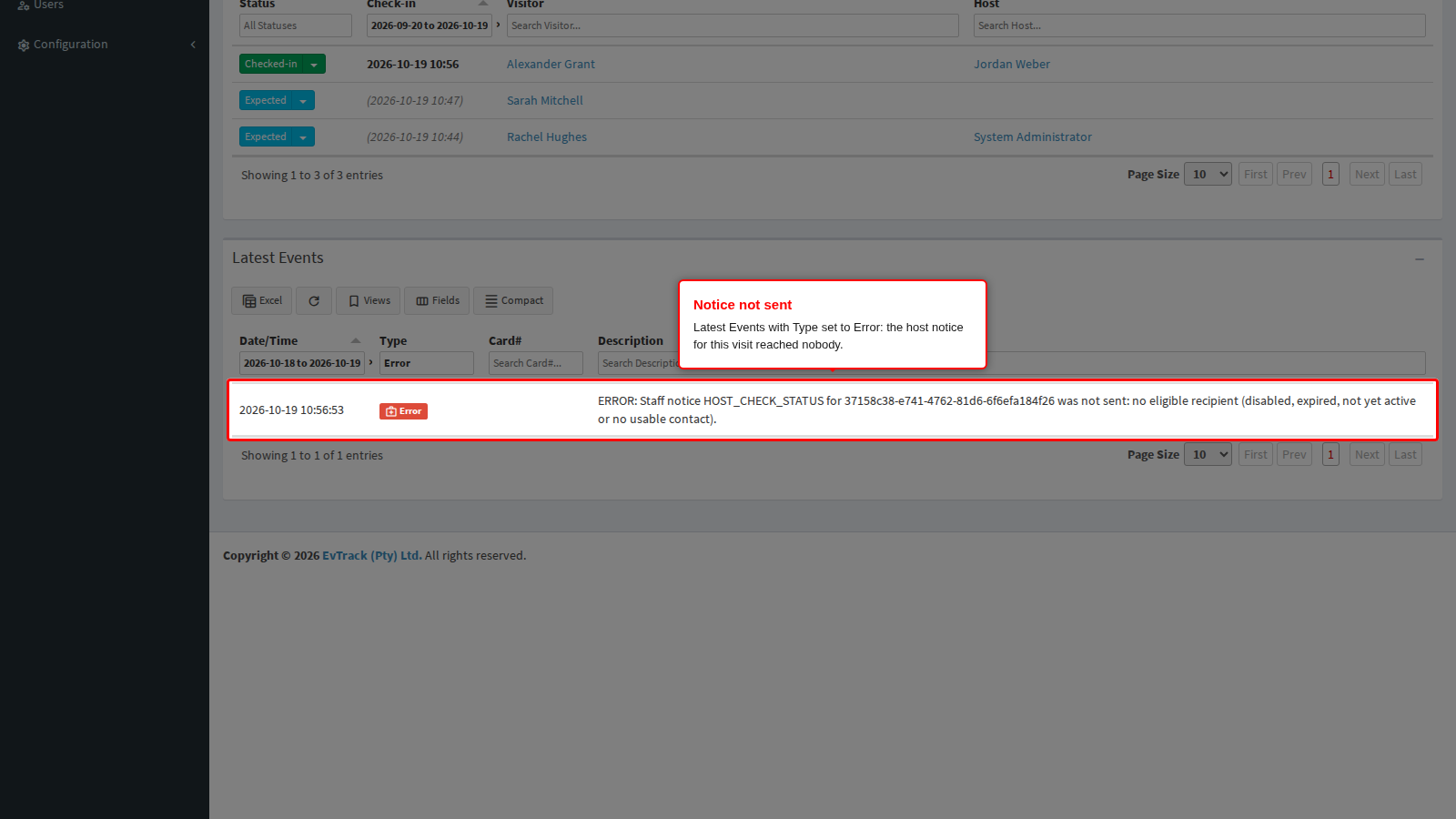
When the host’s account is the cause, EvTrack records the missed notice. Open the Dashboard (the first entry in the left sidebar) and, in the Latest Events panel, set the Type filter to Error. Look for a row whose description says the staff notice “was not sent: no eligible recipient (disabled, expired, not yet active or no usable contact)”. The panel shows yesterday and today unless you widen the date filter, and at most seven days; click Refresh to pull in new events. The row names the visit, never the host’s address.
What it means
The check-in worked; only the notice to the host was not sent. EvTrack checks the host’s account at the moment it sends the notice, not when the visit was booked. A visit booked while the host’s account was valid still sends nothing if the account has expired or been disabled by the time the visitor arrives.
A notice that was not sent is not sent again later. Once the cause is fixed, the host is told about the next arrival.
Why it happens
-
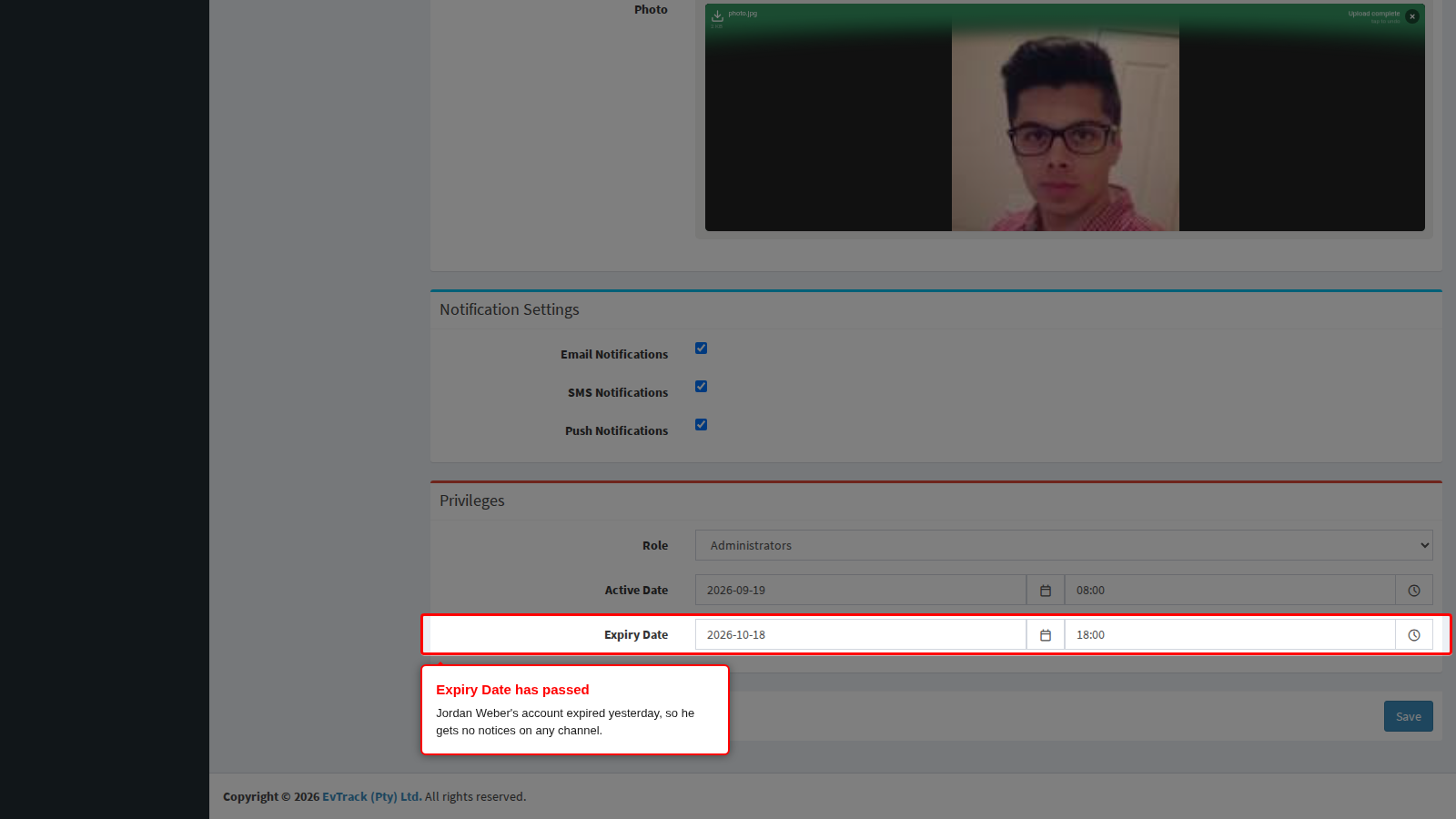
The host’s account has expired. On the host’s Profile tab (open Users, then the host), the Expiry Date has passed. An expired host gets no arrival notice on any channel, whatever the notification settings say. EvTrack accepts an Expiry Date in the past, for example a contractor’s end date that has since passed. This records the Error event above.
- The host’s account is not active yet. The Active Date on the same tab is still in the future. This also records the Error event.
- The host’s account is disabled. On the host’s Account & Security tab, Account status reads “Disabled - cannot log in”. This also records the Error event.
- The host’s email address cannot be used. The Email on the host’s Profile tab is empty, holds a name as well as the address, or holds more than one address. Only the email is skipped; SMS and push still go out if they are switched on. No Error event is recorded.
- A notification setting is off. Notify Host via Email (or SMS, or Push Notification) is clear under Configuration > Visitor Settings > Host Notifications, Notify Host Mode does not cover arrivals, or the host has cleared Email Notifications in Notification Settings on their own Profile tab. These are ordinary settings, so no Error event is recorded. See Host Notification Settings.
- The visit has no host. A visit that names no host sends no arrival notice.
For the settings that send the arrival notice, see Notify the host when their visitor arrives.
Fix it now
The example below fixes the first cause: the host’s Expiry Date has passed.
Step 1: Set a later Expiry Date and save
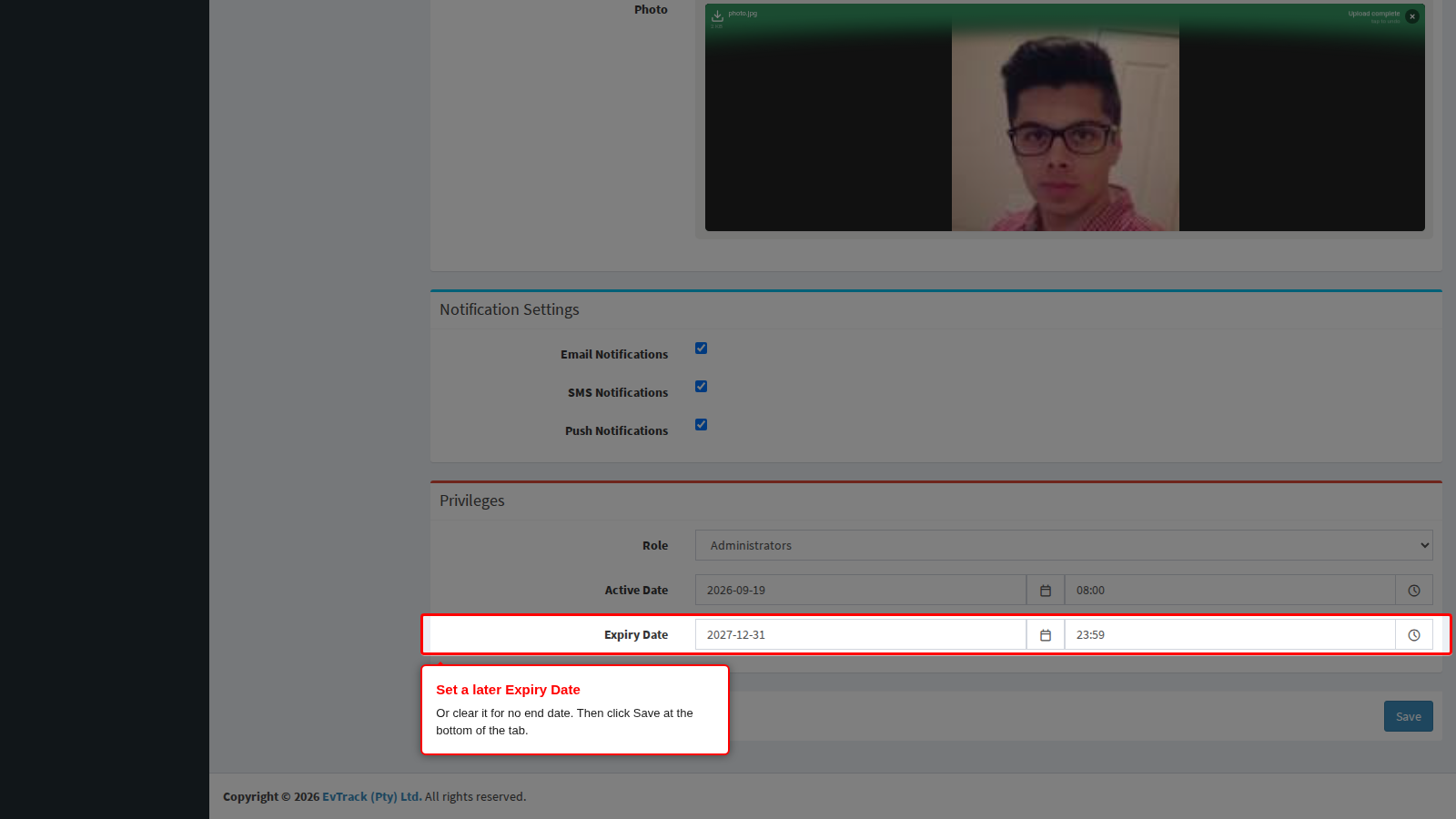
Open Users, open the host and choose the Profile tab. Set the Expiry Date to the date the host’s account should end, or clear the date and time if the account has no end date. Then click Save at the bottom of the tab.
- A date entered without a time ends at 23:59 that day.
- For an account that is not active yet, correct the Active Date the same way.
- For a disabled account, open the host’s Account & Security tab and click Enable account.
- For an email address that cannot be used, enter one plain address in Email on the Profile tab and click Save.
See User Validity and Credential Expiry for more on the two dates.
Check it worked
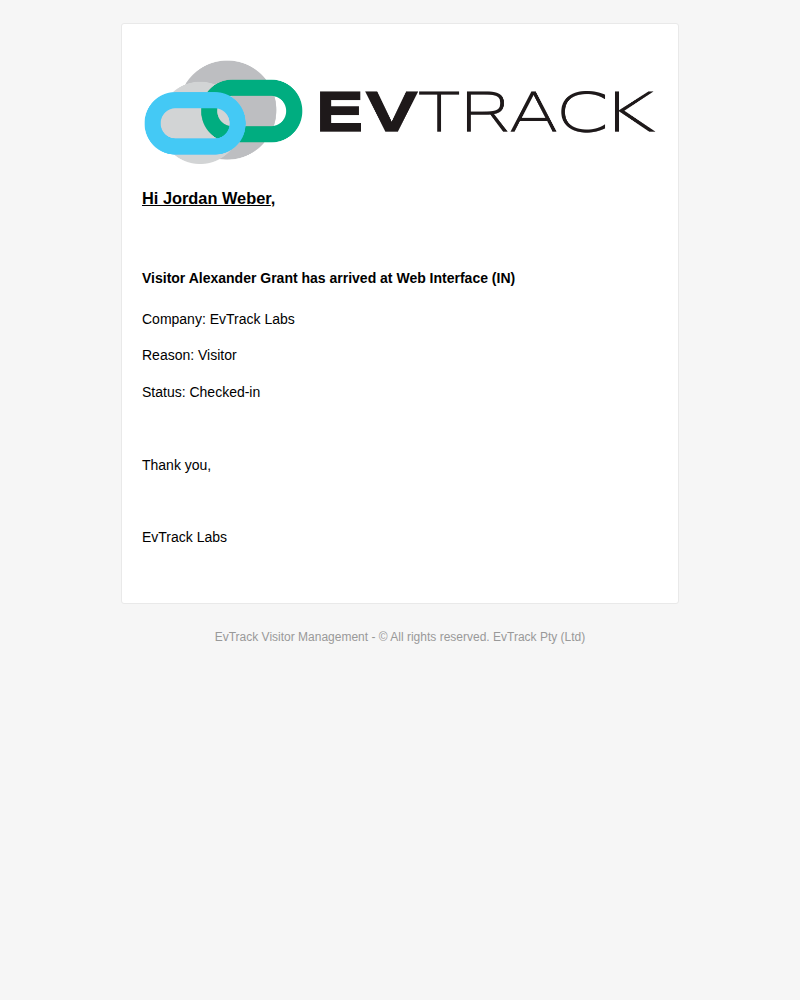
The missed notice is not resent, so check with the next arrival. When the host’s next visitor is checked in, for example from the Visitors Dashboard (see Check-in and Check-out), the host receives an email that greets them by name and says the visitor has arrived, with the visitor’s company and visit reason. A check-in done in the web application shows Web Interface as the place; a reader or kiosk check-in normally shows its access control point instead. No new Error event appears for that visit.