Nedap AEOS Integration
EvTrack connects to Nedap AEOS so that visitor and contractor credentials issued in EvTrack are created automatically in your Nedap access control, and removed again when the visit ends. It suits sites that already run Nedap AEOS and need to grant temporary access to visitors.
1. How it works
EvTrack reaches Nedap AEOS through an EvTrack Connect agent: a small program that runs on a computer that can reach your AEOS server and connects out to EvTrack, so no inbound port needs to be opened on your network. When a visitor is registered or checked in, EvTrack issues their credentials and sends them to the agent, which creates the matching carrier and badges in AEOS, with the access the visitor’s access control lists are mapped to. When the visit ends or a credential is cancelled, EvTrack has the agent remove it again.
2. Install and pair the agent
1. Install the agent on a computer that can reach your AEOS server: see Install an EvTrack Connect Agent.
2. In EvTrack, add an EvTrack Connect app for Nedap and pair the agent: see EvTrack Connect Agent.
3. Configure the integration in EvTrack
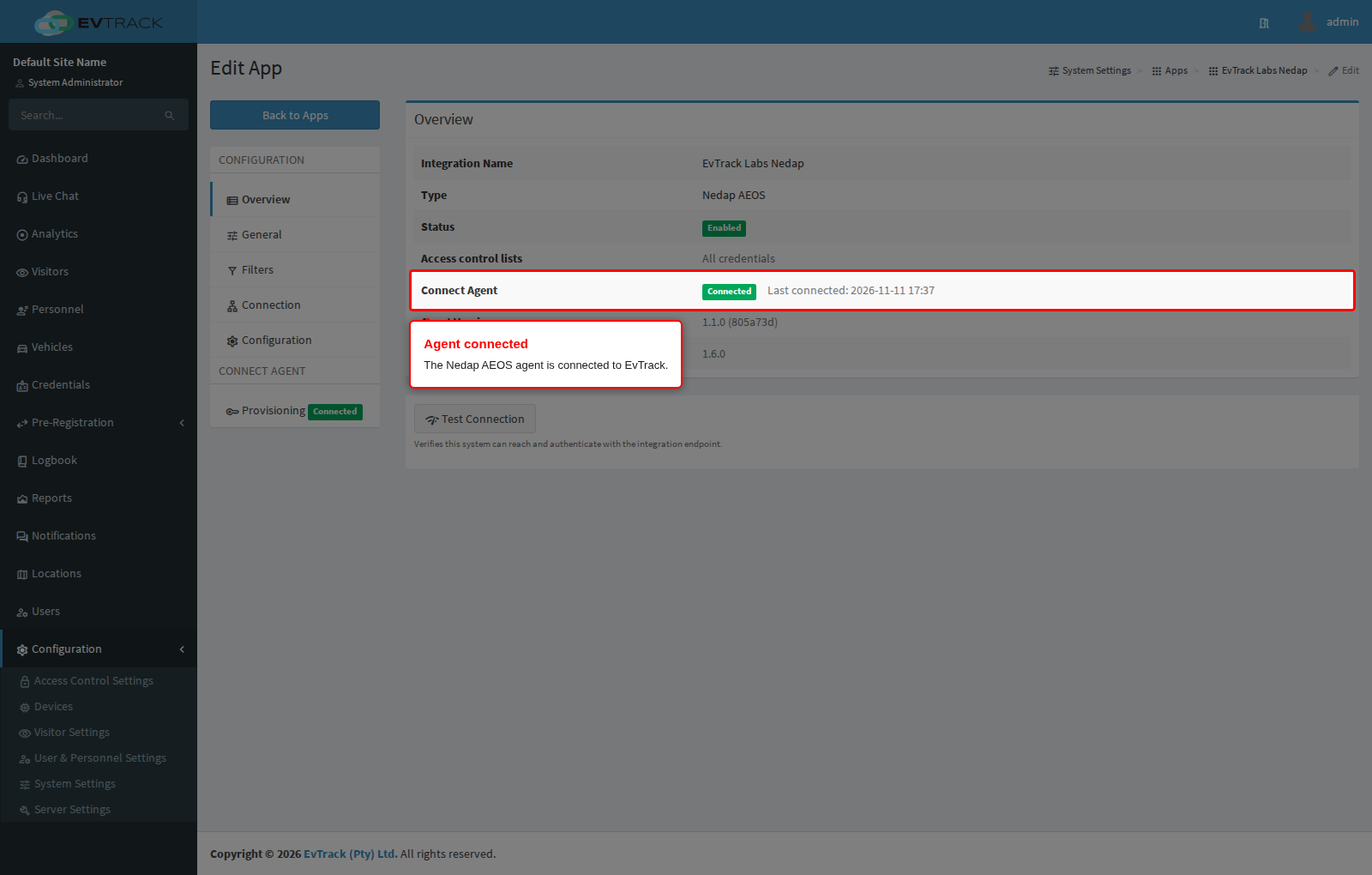
When the agent is installed and has its configuration, the app’s Overview shows the agent as Connected.
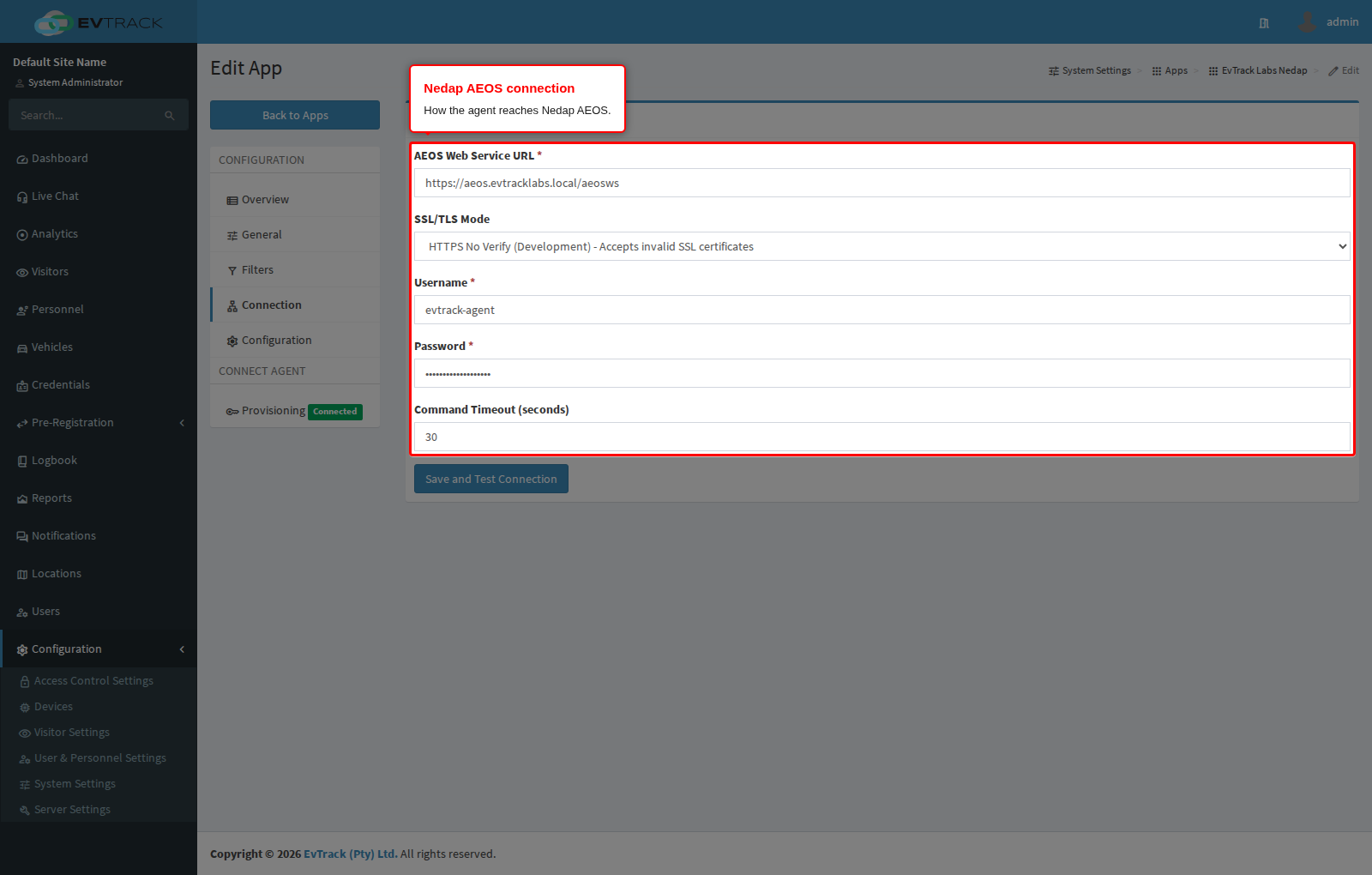
On the Connection tab, enter how the agent reaches your AEOS server. The agent, not EvTrack, connects to AEOS with these settings.
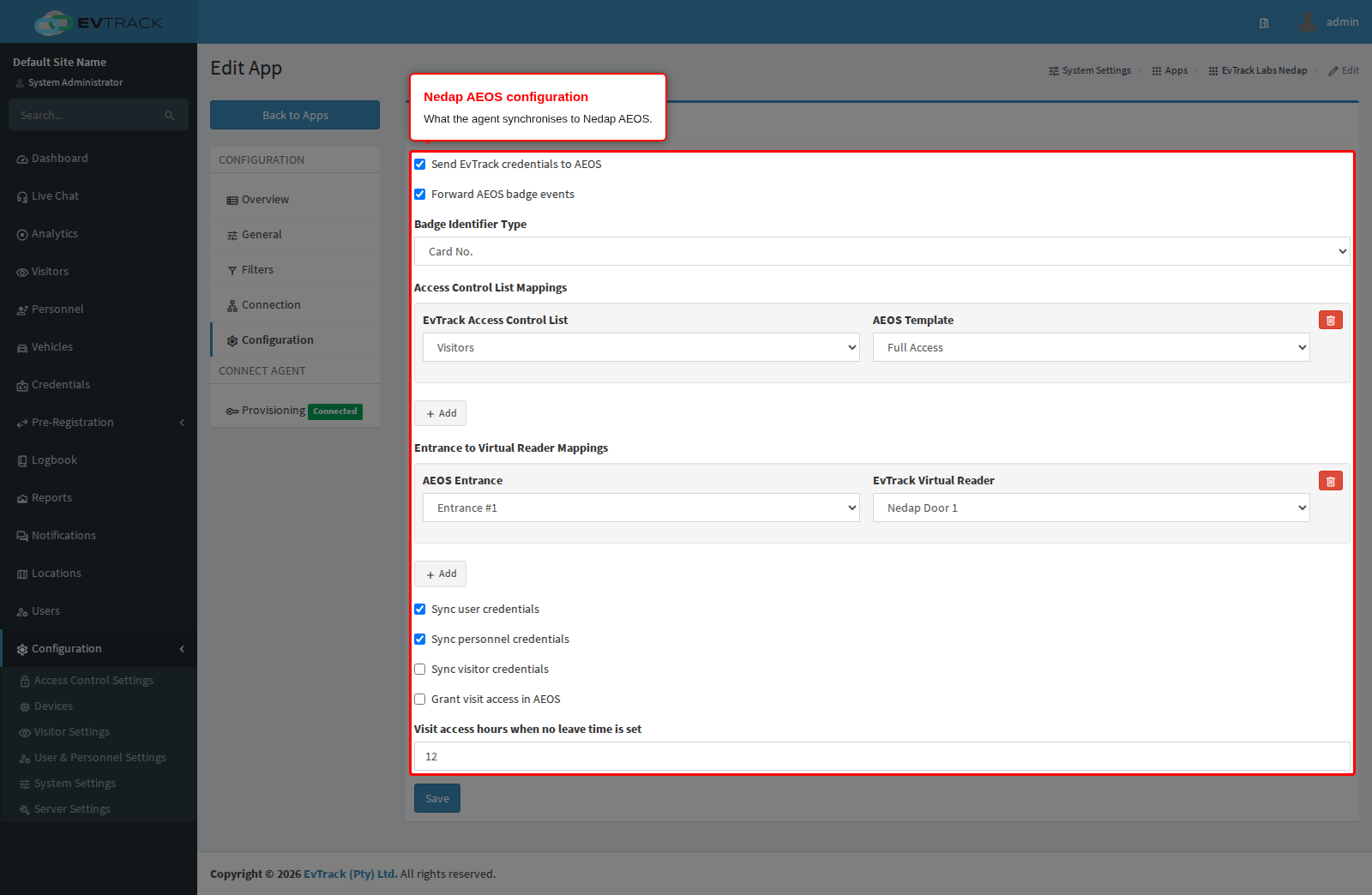
On the Configuration tab, choose the synchronisation settings and map each EvTrack access control list to the AEOS access the visitor should be granted.
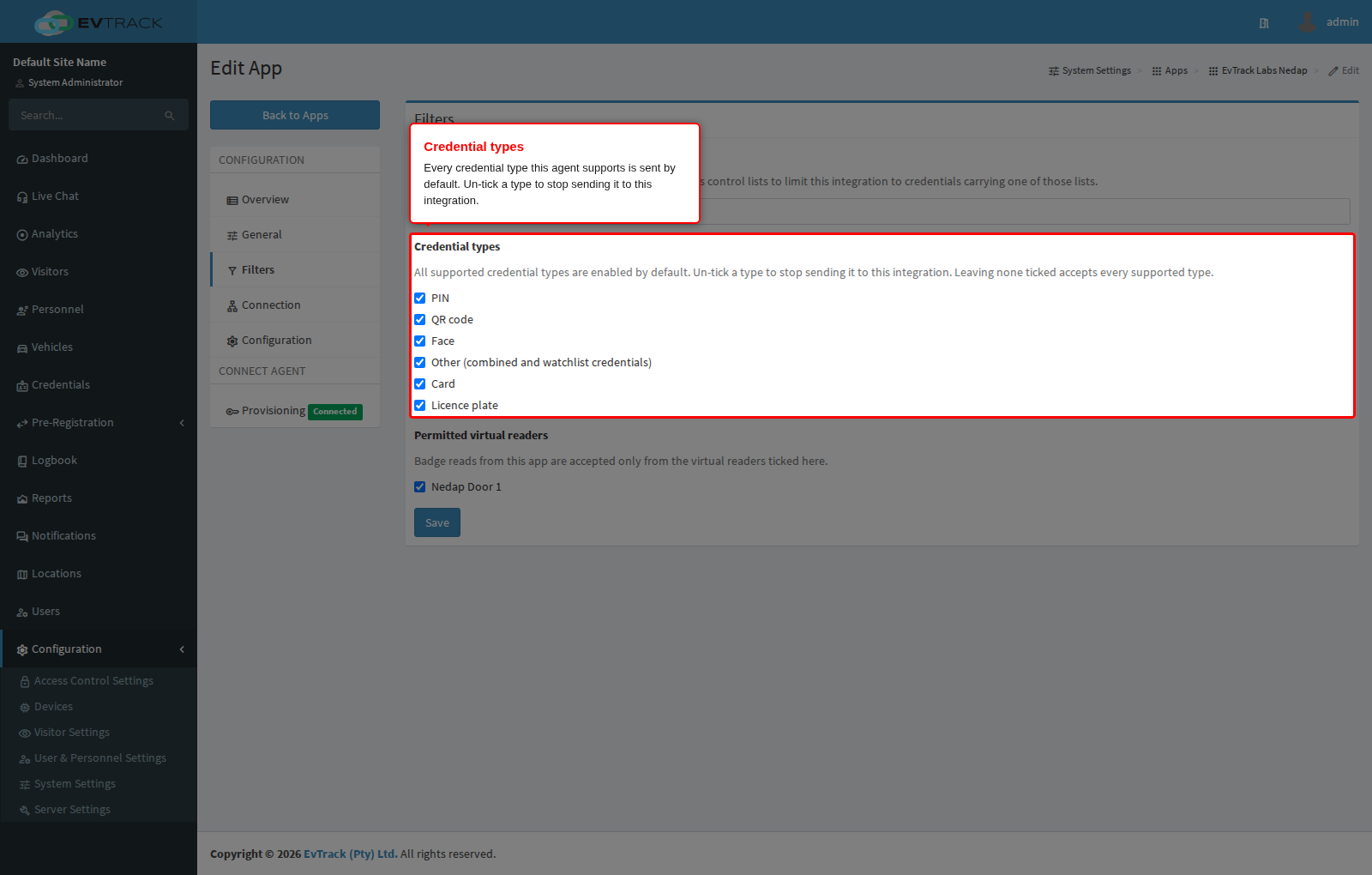
On the Filters tab, the Credential types picker controls which kinds of credential EvTrack sends to Nedap. Every credential type the agent supports is ticked by default, so all of them are sent. Un-tick a type to stop sending it to this integration. Leaving none ticked accepts every supported type, the same as the default. Only the types this agent can use are offered.
4. Testing
1. Record a visitor check-in on the Kiosk or Guard device, and confirm that the carrier and badge appear in AEOS.
2. Present the visitor’s credential at a Nedap reader, and confirm the access is granted and logged.