Use this page when a visitor who checked out at a FrontDesk kiosk comes back the same day, scans their ID card, passport or Emirates ID, or their invitation QR code, and the kiosk does not check them in again. An administrator who can change Visitor Settings can fix it in a few minutes.
Symptom
The visitor checked in, left through the kiosk (or reception checked them out), and returns while their visit is still valid. When they scan at the kiosk, instead of “Thank you!” with the check-in confirmation, the kiosk shows one of these:
- “Please note” with “You have already been checked out and the event has been finalised.”
- The registration screens, as if the visitor were a walk-in who has never been here.
- “No visit found”: “We could not find a valid visit for this scan. …”
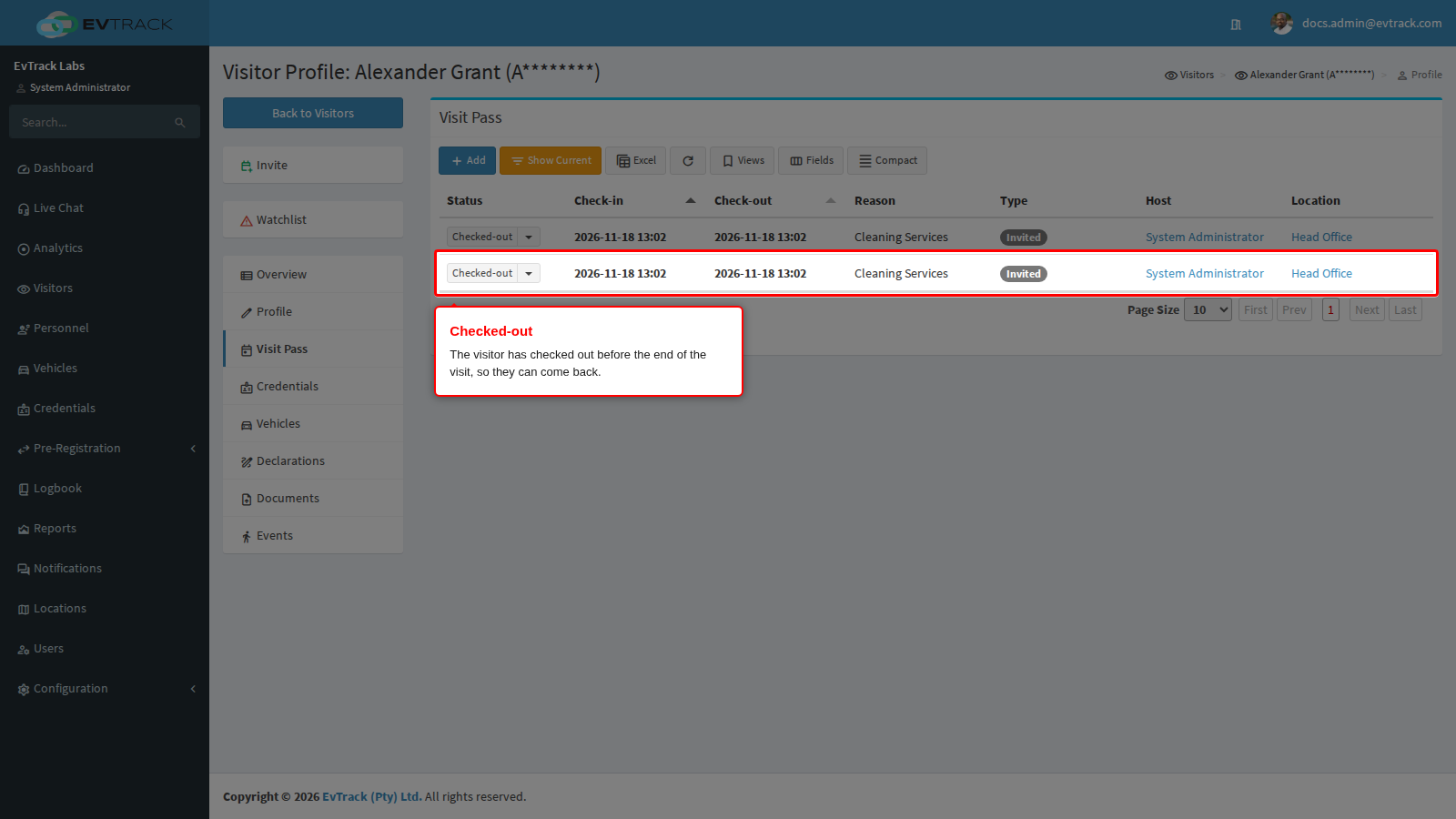
The visit itself still reads Checked-out on the visitor’s Visit Pass tab.
What it means
Checking a visitor in again on the same visit is called a re-check-in. EvTrack allows it only when two Check-out settings allow it and the visit has not ended. With the settings as shipped, a check-out finishes the visit for good: the visitor’s pass stops working at check-out, and a returning visitor needs a new invitation or registers again at the kiosk.
When the visitor scans an ID card or passport, EvTrack finds the visit through the ID/Passport Nr stored on the visitor’s profile, then checks them in on that visit’s own pass. So an ID scan works even when visitors hold only a QR code invitation and no ID credential, as long as the visitor’s profile carries the number on the card they scan.
Why it happens
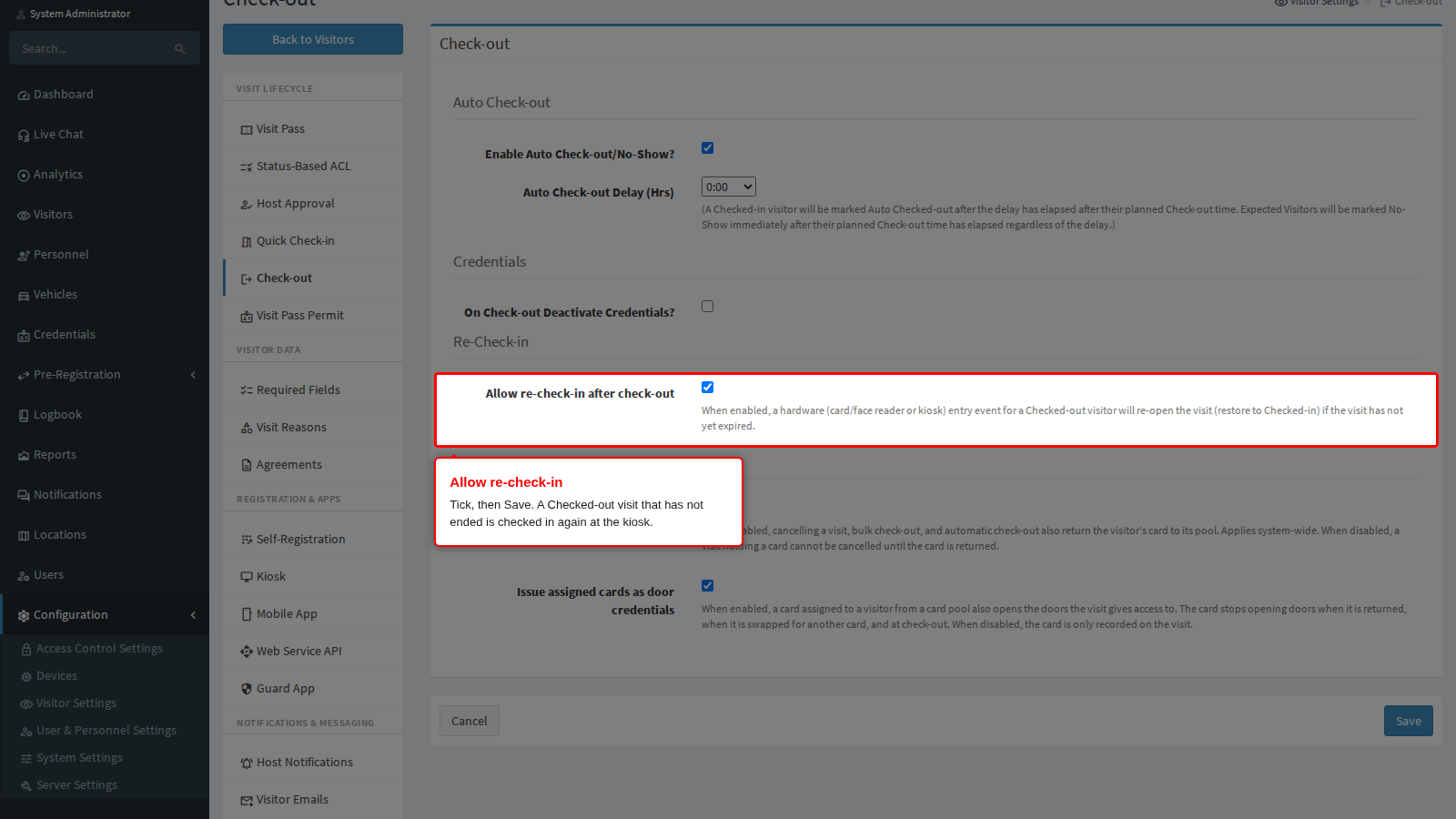
- Re-check-in is switched off. Allow re-check-in after check-out under Configuration > Visitor Settings > Check-out is off, as shipped.
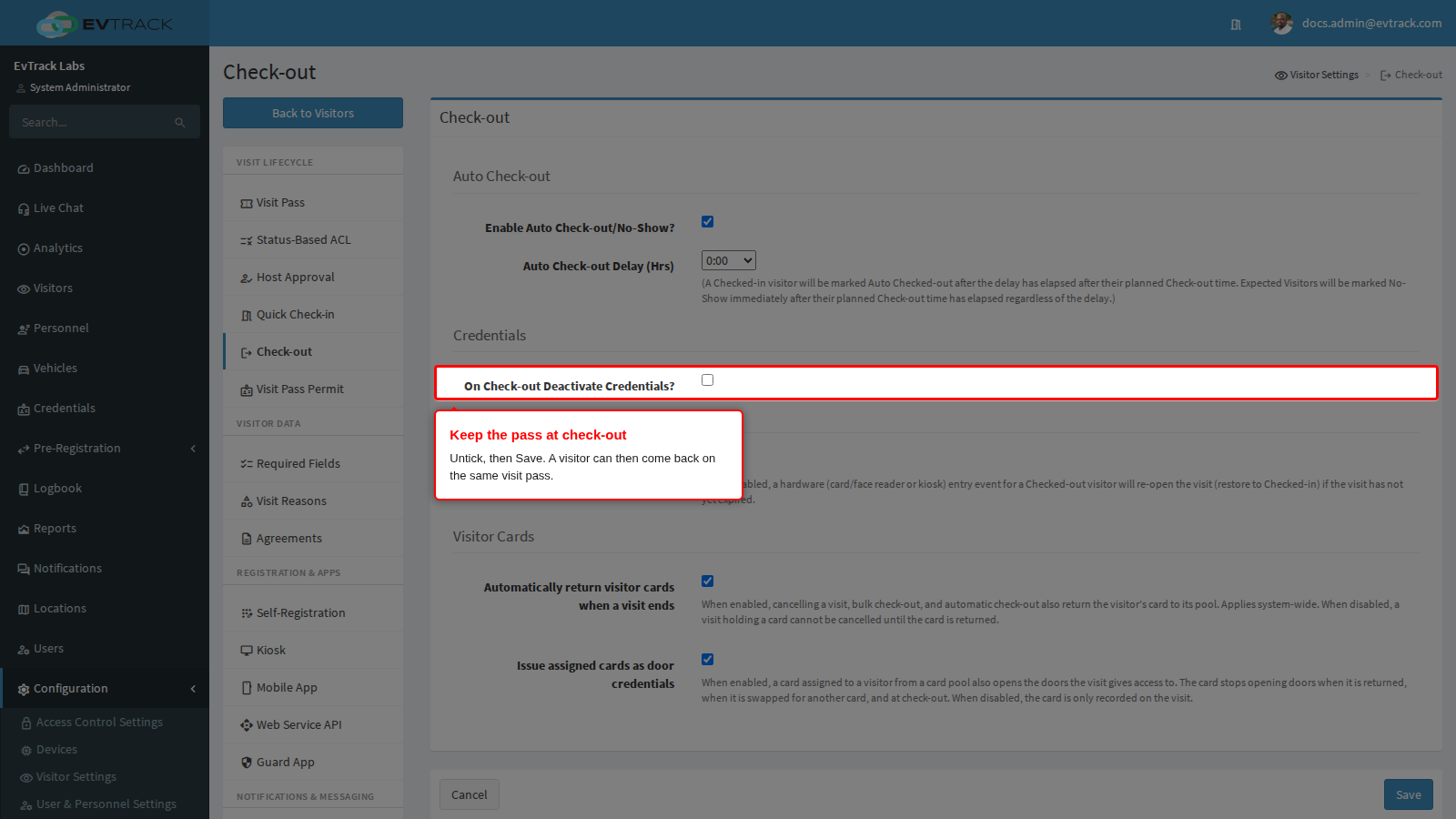
- The pass was switched off at check-out. On Check-out Deactivate Credentials? on the same page is on, as shipped. The visitor’s pass stopped working when they checked out, so the kiosk cannot find the visit by the QR code or by the ID card. Changing this setting does not bring back a pass that was already switched off: it applies only to visitors who check out from then on.
- The visit has ended. Re-check-in works only until the visit’s Check-out time on its Visit Pass. With Enable Auto Check-out/No-Show? on, a visitor still on site is checked out automatically once that time (plus the Auto Check-out Delay) has passed, and such a visit cannot be re-opened.
- The profile does not carry the scanned number. The visitor’s ID/Passport Nr must hold the number on the document they scan. A visitor invited without it, who checked in only with their QR code, is not found by an ID card scan.
- The pass does not open this kiosk after check-out. The visit’s access control lists must still include the access control point the kiosk’s reader is bound to. A Status-Based ACL that gives Checked-out visitors different access lists can take the kiosk away. See Status-Based ACL.
- The visitor or their vehicle is on a watchlist. A watchlisted visit is never re-opened.
Fix it now
The example below follows Alexander Grant, who comes back by scanning his passport at the kiosk.
Step 1: Keep the pass at check-out
Open Configuration > Visitor Settings > Check-out. Untick On Check-out Deactivate Credentials? and click Save.
Step 2: Allow re-check-in
On the same page, tick Allow re-check-in after check-out and click Save.
- Both settings apply to the whole system. To allow returning visitors for one kind of visit only, leave them as they are and open that visit reason under Configuration > Visitor Settings > Visit Reasons instead: turning on Allow multiple Entries/Exits there keeps the pass at check-out and allows re-check-in for visits with that reason.
- A visitor whose pass was switched off before you changed the settings is still refused. Send them a new invitation, see Invite a Visitor.
Check it worked
Ask a visitor who checks out from now on to come back while their visit is still valid. Alexander has checked out, and his visit reads Checked-out (the Visit Pass tab lists current visits; click Show All to see it):
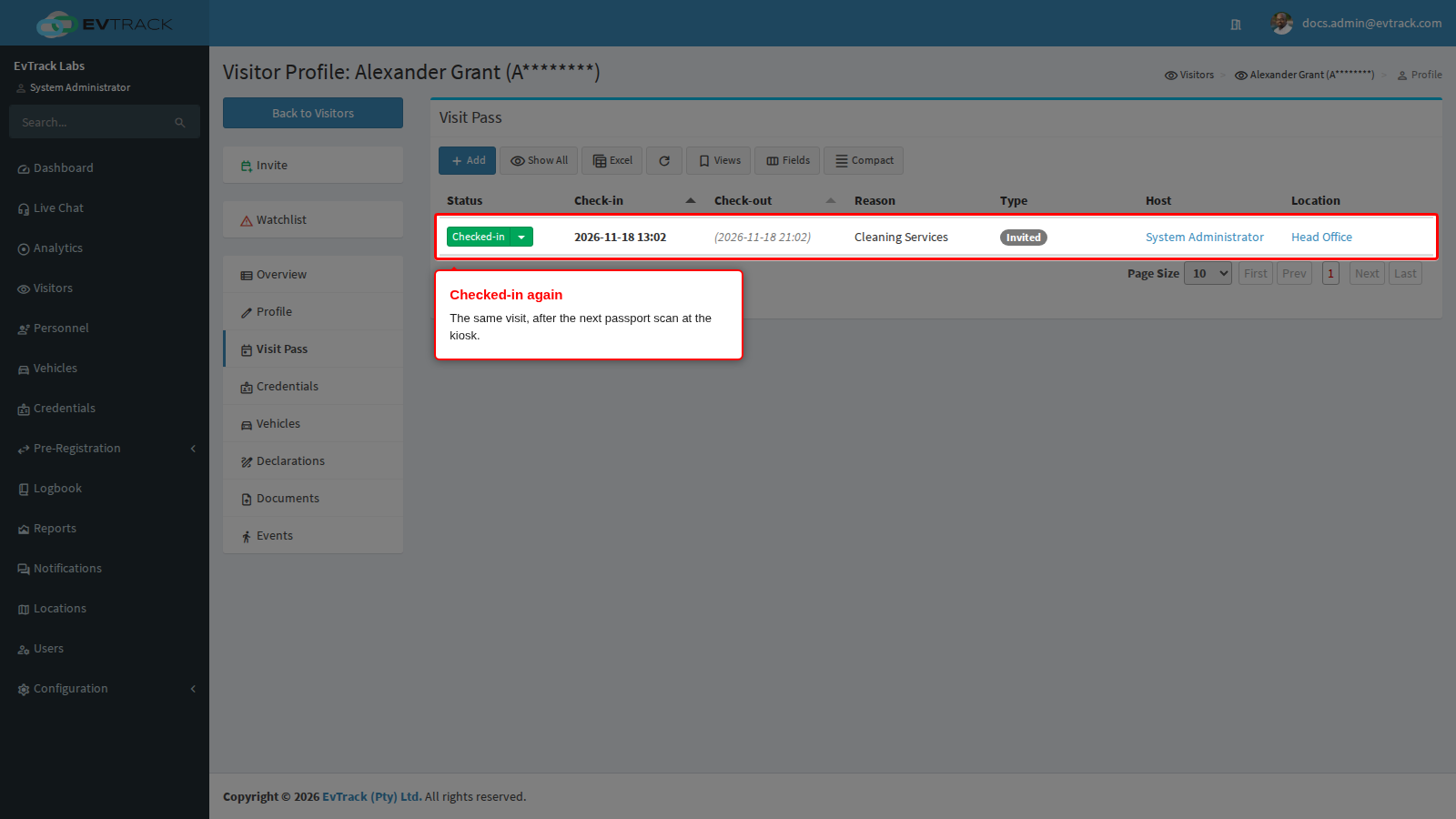
He scans the same passport at the kiosk. The kiosk shows “Thank you!” with the check-in confirmation, and the same visit reads Checked-in again:
If the kiosk still refuses, go through the causes above in order. For a visitor the kiosk does not find at all, see The kiosk cannot find the visitor.